
gpt-image-2-style-library
What it does
This skill turns your idea for an image into a detailed prompt using a library of GPT-Image2 styles. It is for anyone who wants polished AI images without writing prompts from scratch.
When to use it
- ✓When you want an AI image for a poster, product, UI mockup, infographic, or illustration.
- ✓When you have a rough image idea and want a stronger, well-structured prompt.
- ✓When you want to browse image style templates and choose the best fit.
Skill link
https://github.com/freestylefly/awesome-gpt-image-2/blob/main/agents/skills/gpt-image-2-style-library/SKILL.mdCopy it and paste it into your AI (Claude, ChatGPT or Cursor), asking it to follow the instructions.
How to use
The easiest way: copy the message and paste it into your AI. It reads the skill and follows the instructions.
Ready-to-paste message
For Claude Code, Codex or Cursor: run it in your project folder and the skill gets installed.
Download the SKILL.md and drop it into your agent’s skills folder.
Example of what to ask your AI
“Write me a GPT-Image2 prompt for a city life system map poster in a clean infographic style.”
5 new skills a week. 1 minute to read.
How it works
It matches your request to a template category, style tag, or scene tag, then builds a prompt covering subject, layout, style, text, and format. If several templates fit, it offers two or three options to choose from.
Technical content (original SKILL.md)
Original text by the author, straight from GitHub.
GPT-Image2 Style Library
Use this skill to turn a user's image-generation intent into a production-ready GPT-Image2 prompt using the awesome-gpt-image-2 style library.
Example Output
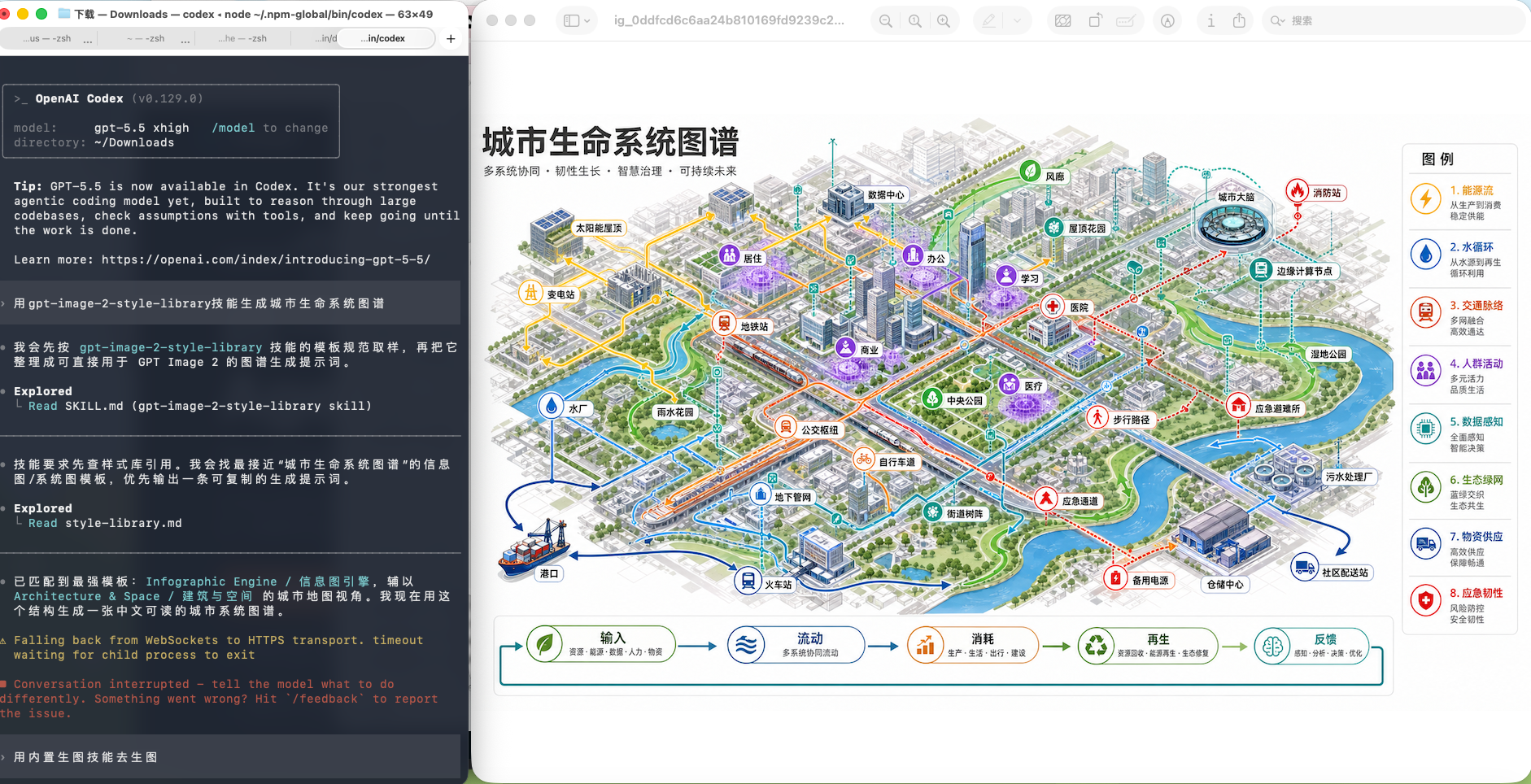
Example request: 用 gpt-image-2-style-library 技能生成城市生命系统图谱
Reference
- Read
references/style-library.mdbefore choosing a template or style. - The reference is generated from
data/style-library.jsonin the repository. - Prefer the reference over memory when template names, categories, covers, or style tags matter.
Workflow
- Detect the user's language and answer in that language.
- Identify the user's target output: product, poster, UI, infographic, brand, photo, illustration, character, scene, history, document, or special task.
- Match the request in this order: template category, visual style tag, scene tag, then nearest example cases.
- If one template is clearly strongest, use it directly. If several are plausible, present 2-3 options with short reasons and ask the user to choose.
- Build the final prompt with these blocks:
- subject and task
- composition and layout
- visual style and materials
- text and label requirements
- aspect ratio and output format
- constraints and negative details
- Include the selected template name and any useful example case IDs.
Output Defaults
- Provide a copyable prompt first.
- Keep constraints concrete: exact text, aspect ratio, readable labels, layout hierarchy, and avoided artifacts.
- For Chinese requests, write the final prompt in Chinese unless the user asks for English.
- For English requests, write the final prompt in English unless the user asks for Chinese.
- When the user asks for multiple concepts, reuse one template and vary subject, composition, palette, and scene.
Maintenance
When the source repository changes, run:
npm run generate:style-skill
To install the skill into the local Codex skill folder, run:
npm run install:skill
FAQ
Does it generate the image itself?
The skill builds the prompt. Generating the image is a separate step in your image tool.
What if several styles could work?
It presents two or three options with short reasons, and you choose one.
Where do the templates come from?
They come from a reference file built from the awesome-gpt-image-2 style library.
Details
Original description by the author
Choose GPT-Image2 / gpt-image-2 visual styles and industrial prompt templates from the awesome-gpt-image-2 style library. Use when an agent needs to create, rewrite, classify, or improve image-generation prompts with repository-backed templates, categories, style tags, scene tags, pitfalls, and example cases.
Popularity
- GitHub stars
- 35k
- Ranking position
- #7588
- License
- MIT
- Updated
- 10/14/2026
Comments
- …
Similar skills
gifgrep
394kLets your agent search GIF libraries, preview results, download a GIF, and pull out a still frame or a contact sheet of frames.
meme-maker
394kLets your agent pick a meme template, add your own captions, and create the meme as an SVG or PNG image.
ios-icon-gen
280kLets your agent generate icons for iOS apps. It uses Apple symbols or icons from other sources to create the correct files.