
gpt-image-2-style-library
Qué hace
Esta skill convierte tu idea de imagen en un prompt detallado usando una biblioteca de estilos de GPT-Image2. Está pensada para cualquiera que quiera imágenes de IA pulidas sin escribir los prompts desde cero.
Cuándo usarla
- ✓Cuando quieres una imagen de IA para un cartel, un producto, una maqueta de interfaz, una infografía o una ilustración.
- ✓Cuando tienes una idea de imagen aproximada y quieres un prompt más sólido y bien estructurado.
- ✓Cuando quieres explorar plantillas de estilo de imagen y elegir la que mejor encaja.
Link de la skill
https://github.com/freestylefly/awesome-gpt-image-2/blob/main/agents/skills/gpt-image-2-style-library/SKILL.mdCópialo y pégalo en tu IA (Claude, ChatGPT o Cursor) pidiéndole que siga las instrucciones.
Cómo usar
La forma más fácil: copia el mensaje y pégalo en tu IA. Ella lee la skill y sigue las instrucciones.
Mensaje listo para pegar
Para Claude Code, Codex o Cursor: ejecútalo en la carpeta del proyecto y la skill queda instalada.
Descarga el SKILL.md y ponlo en la carpeta de skills de tu agente.
Ejemplo de qué pedirle a la IA
“Escríbeme un prompt de GPT-Image2 para un cartel de mapa del sistema de vida urbana, en un estilo infográfico limpio.”
5 skills nuevas por semana. 1 minuto de lectura.
Cómo funciona
Relaciona tu petición con una categoría de plantilla, una etiqueta de estilo o una etiqueta de escena, y luego construye un prompt que cubre el sujeto, la composición, el estilo, el texto y el formato. Si varias plantillas encajan, ofrece dos o tres opciones entre las que elegir.
Contenido técnico (SKILL.md original)
Texto original del autor, en inglés, directo de GitHub.
GPT-Image2 Style Library
Use this skill to turn a user's image-generation intent into a production-ready GPT-Image2 prompt using the awesome-gpt-image-2 style library.
Example Output
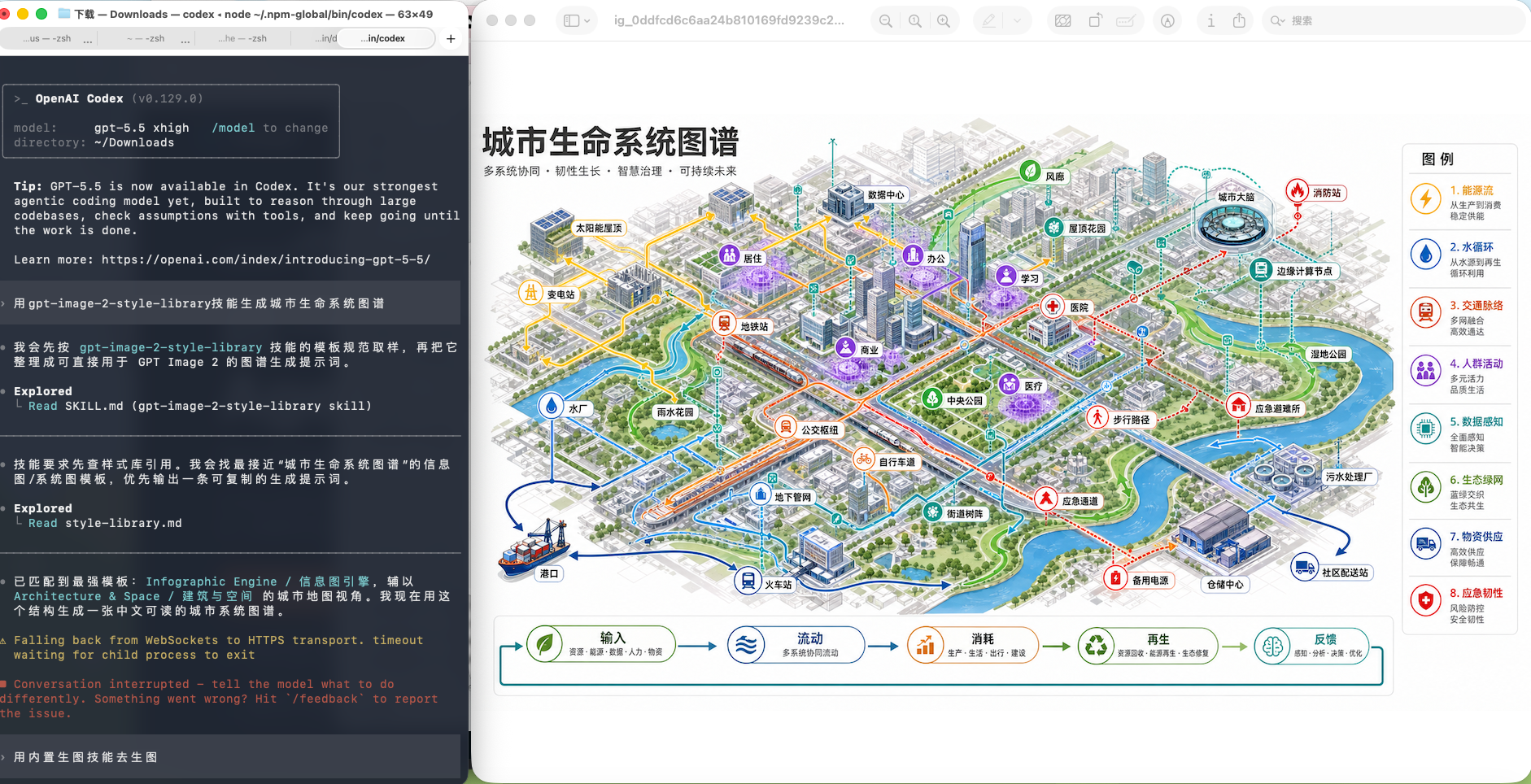
Example request: 用 gpt-image-2-style-library 技能生成城市生命系统图谱
Reference
- Read
references/style-library.mdbefore choosing a template or style. - The reference is generated from
data/style-library.jsonin the repository. - Prefer the reference over memory when template names, categories, covers, or style tags matter.
Workflow
- Detect the user's language and answer in that language.
- Identify the user's target output: product, poster, UI, infographic, brand, photo, illustration, character, scene, history, document, or special task.
- Match the request in this order: template category, visual style tag, scene tag, then nearest example cases.
- If one template is clearly strongest, use it directly. If several are plausible, present 2-3 options with short reasons and ask the user to choose.
- Build the final prompt with these blocks:
- subject and task
- composition and layout
- visual style and materials
- text and label requirements
- aspect ratio and output format
- constraints and negative details
- Include the selected template name and any useful example case IDs.
Output Defaults
- Provide a copyable prompt first.
- Keep constraints concrete: exact text, aspect ratio, readable labels, layout hierarchy, and avoided artifacts.
- For Chinese requests, write the final prompt in Chinese unless the user asks for English.
- For English requests, write the final prompt in English unless the user asks for Chinese.
- When the user asks for multiple concepts, reuse one template and vary subject, composition, palette, and scene.
Maintenance
When the source repository changes, run:
npm run generate:style-skill
To install the skill into the local Codex skill folder, run:
npm run install:skill
Preguntas frecuentes
¿Genera la imagen por sí misma?
La skill construye el prompt. Generar la imagen es un paso aparte en tu herramienta de imágenes.
¿Qué pasa si varios estilos podrían funcionar?
Presenta dos o tres opciones con motivos breves, y tú eliges una.
¿De dónde salen las plantillas?
Vienen de un archivo de referencia construido a partir de la biblioteca de estilos awesome-gpt-image-2.
Detalles
Descripción original del autor
Choose GPT-Image2 / gpt-image-2 visual styles and industrial prompt templates from the awesome-gpt-image-2 style library. Use when an agent needs to create, rewrite, classify, or improve image-generation prompts with repository-backed templates, categories, style tags, scene tags, pitfalls, and example cases.
Popularidad
- Estrellas en GitHub
- 35 mil
- Posición en el ranking
- #7588
- Licencia
- MIT
- Actualizada
- 14/10/2026
Comentarios
- …
Skills parecidas
gifgrep
394 milPermite que tu agente busque GIF en bibliotecas, vea una vista previa de los resultados, descargue un GIF y extraiga un fotograma fijo o una hoja de contacto de fotogramas.
meme-maker
394 milPermite que tu agente elija una plantilla de meme, añada tus propios textos y cree el meme como imagen SVG o PNG.
ios-icon-gen
280 milPermite a tu agente generar iconos para apps de iOS. Usa símbolos de Apple u otras fuentes para crear los archivos correctos.