
📦 스킬 8개로 구성된 팩
Pack: 10 animation styles for Claude, with a prompt for each
Pixel art, paper cutout, blueprint, neon, flat vector, comic book, chalkboard, claymation, risograph and watercolor. Each one comes with a reference picture and a prompt you can copy with one click.
복사해서 AI에 붙여넣기
링크 하나로 팩의 모든 스킬을 받을 수 있습니다. AI가 각 SKILL.md를 읽고 작업에 맞춰 지침을 따릅니다.
바로 붙여넣을 수 있는 메시지
Use this pack of 8 skills to help me: https://www.useskillpedia.com/pack/10-claude-animation-styles.md
Read that file, open every SKILL.md listed in it and follow the instructions of all the skills for my task.
터미널에서 (Claude Code, Codex, Cursor)
프로젝트 폴더에서 실행하면 한 번에 모두 설치됩니다.
npx skills add NousResearch/hermes-agent --skill pixel-art
npx skills add heygen-com/hyperframes --skill hyperframes
npx skills add calesthio/OpenMontage --skill motion-graphics
npx skills add nexu-io/open-design --skill huashu-art-motion
npx skills add nexu-io/open-design --skill sprite-animation
npx skills add sickn33/agentic-awesome-skills --skill claymorphism
npx skills add NousResearch/hermes-agent --skill excalidraw
npx skills add sickn33/agentic-awesome-skills --skill threejs-animation
The 10 prompts
Copy the prompt of the style you want, replace [DESCRIBE YOUR SCENE HERE] with your scene and paste it into your AI.
Want all 10 styles inside your AI?
Copy this message, paste it into your AI and name the style you want.
Read https://raw.githubusercontent.com/pahesilva1/skillpedia-skills/main/claude-animation-styles/SKILL.md and follow it. Animate this scene in the [STYLE NAME] style: [DESCRIBE YOUR SCENE HERE].
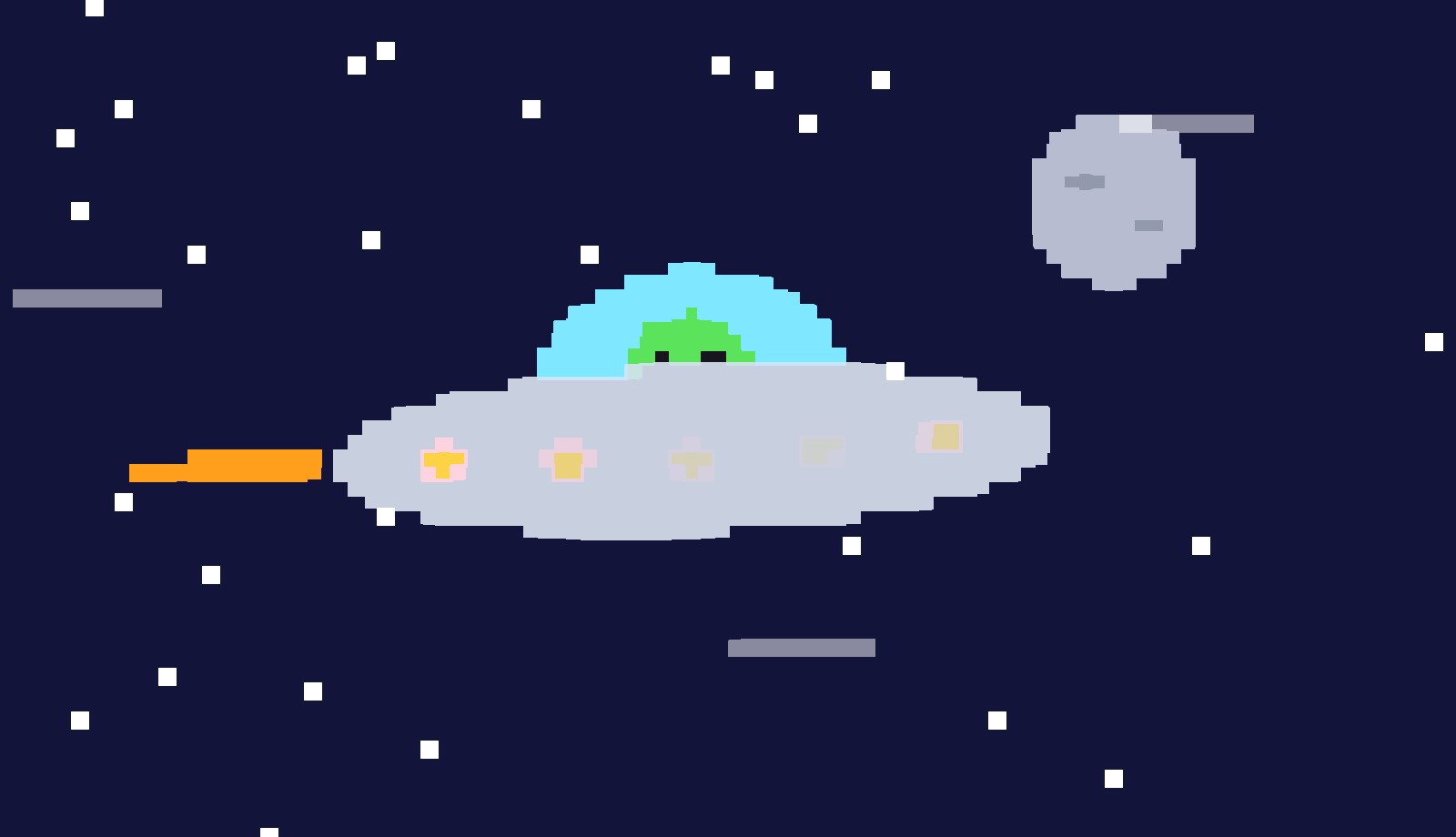
01Pixel Art
Make an animated scene as ONE self-contained HTML file (inline SVG + vanilla JavaScript, no libraries, no external images or fonts), 16:9, looping every 6 seconds. Scene: [DESCRIBE YOUR SCENE HERE]. Draw every character and object from simple SVG shapes (ellipses, rounded rectangles, paths, thick round-capped lines for arms and legs). Drive everything from one time variable so the loop is seamless. Style: PIXEL ART. Flat colors only, no outlines and no gradients. Snap the whole drawing to an 8-px grid with an SVG mosaic filter: feFlood (x=3 y=3 width=2 height=2) → feComposite (width=8 height=8) → feTile → feComposite in=SourceGraphic operator=in → feMorphology dilate radius=4. The filter must use filterUnits="userSpaceOnUse" covering the whole frame, and the group needs shape-rendering="crispEdges". Use a small retro-console palette (deep navy background, 12 to 16 saturated colors). Animate at 12 frames per second and move things in whole-pixel steps. Stars are single 8-px squares.
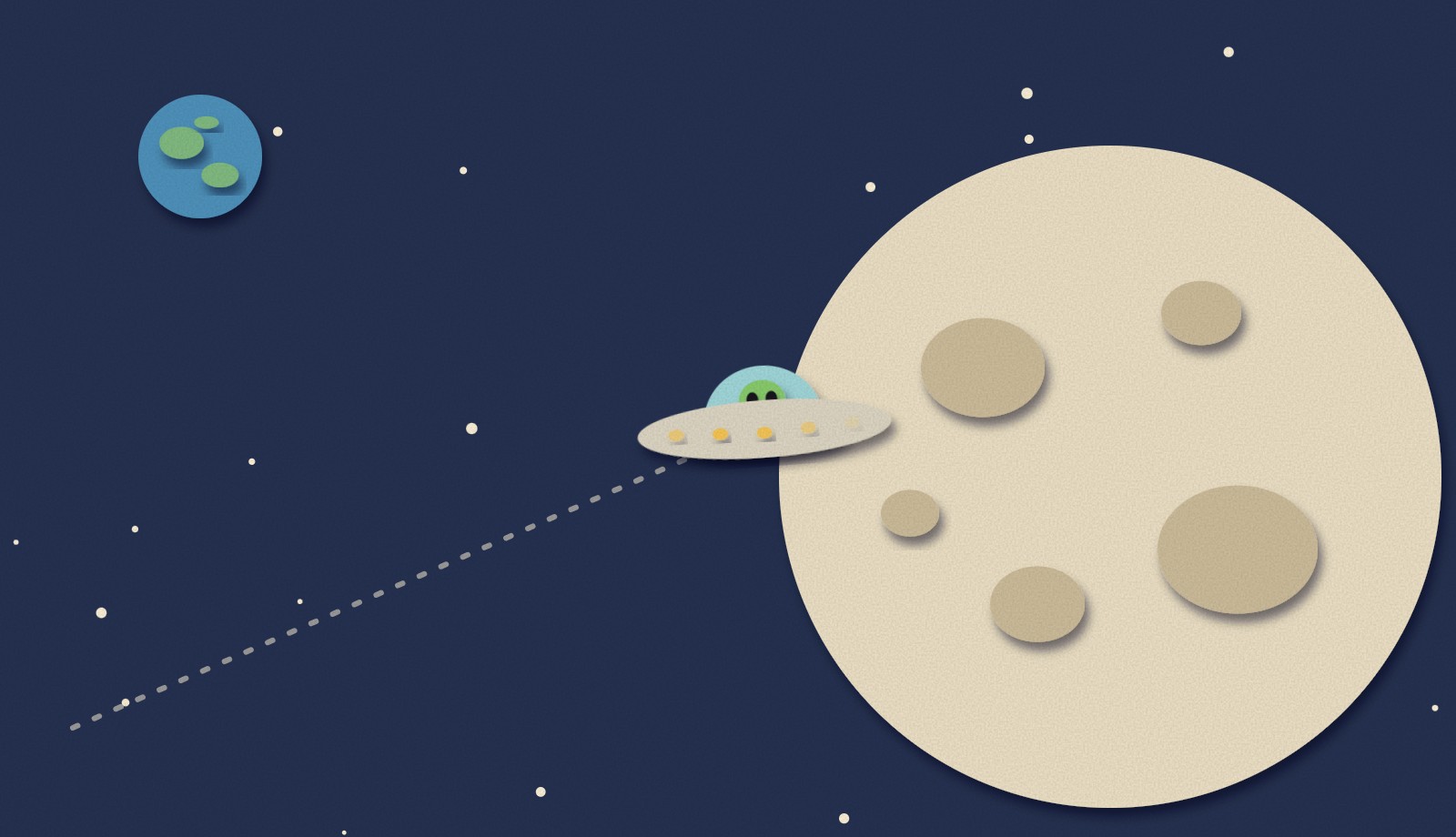
02Paper Cutout
Make an animated scene as ONE self-contained HTML file (inline SVG + vanilla JavaScript, no libraries, no external images or fonts), 16:9, looping every 6 seconds. Scene: [DESCRIBE YOUR SCENE HERE]. Draw every character and object from simple SVG shapes (ellipses, rounded rectangles, paths, thick round-capped lines for arms and legs). Drive everything from one time variable so the loop is seamless. Style: PAPER CUTOUT. Every shape is a piece of cut paper: flat muted colors (kraft, cream, dusty blue, sage, mustard), no outlines. Give each layer a soft drop shadow (feDropShadow dx=2.5 dy=5 stdDeviation=2.6, dark, 50% opacity) so the layers look stacked on a table. Add a paper-grain overlay on top (feTurbulence fractalNoise baseFrequency=0.9, blended with multiply at about 50%). Animate on twos (12 fps) like stop motion: layers slide, tilt and rotate, they never morph.
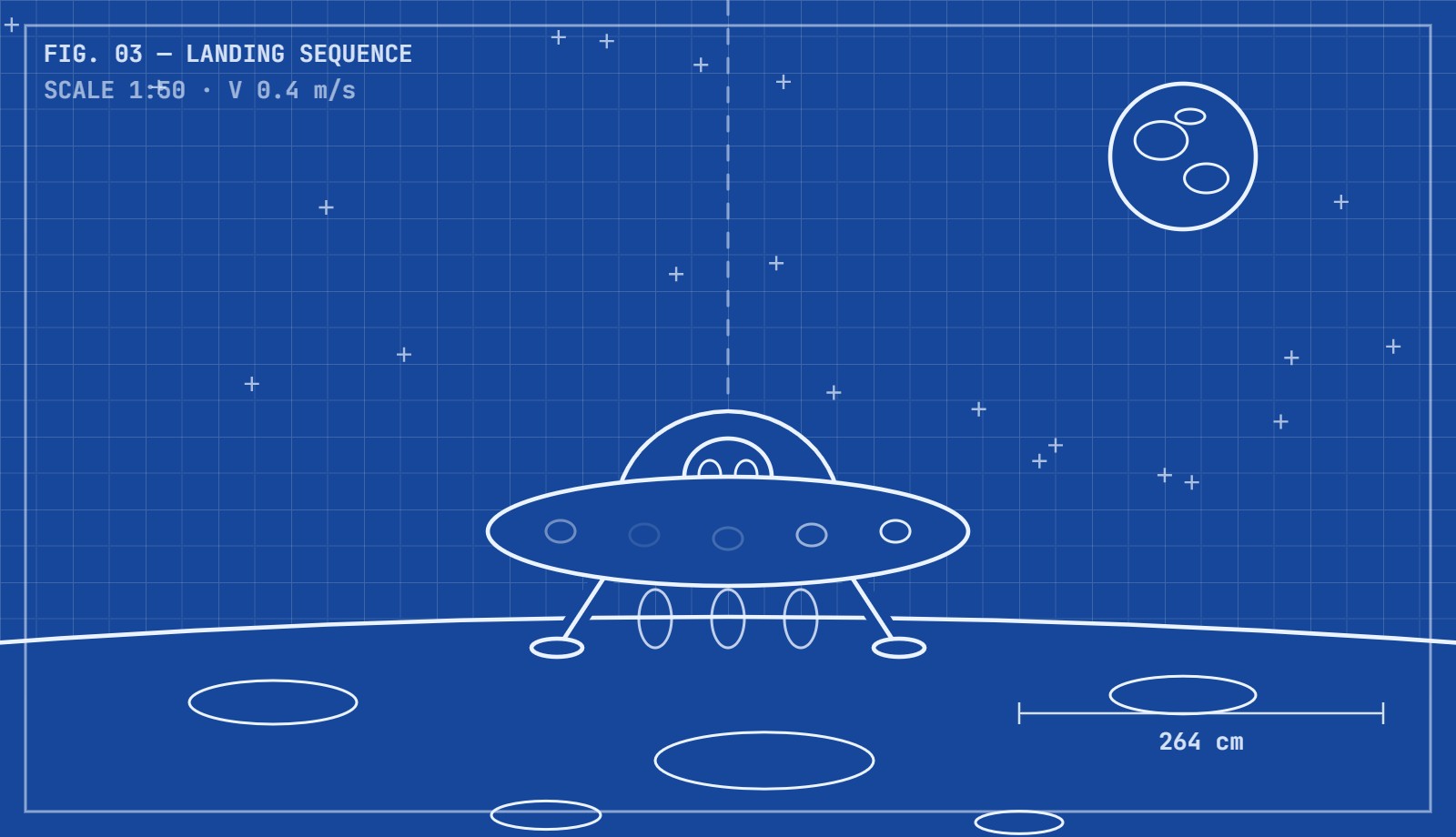
03Blueprint
Make an animated scene as ONE self-contained HTML file (inline SVG + vanilla JavaScript, no libraries, no external images or fonts), 16:9, looping every 6 seconds. Scene: [DESCRIBE YOUR SCENE HERE]. Draw every character and object from simple SVG shapes (ellipses, rounded rectangles, paths, thick round-capped lines for arms and legs). Drive everything from one time variable so the loop is seamless. Style: BLUEPRINT. A technical drawing on blueprint paper: background #17479A with a 40-px white grid at 16% opacity and a finer 20-px grid at 7%. Draw everything as thin white outlines (2.3 px, round joins); fill shapes with the background color so they hide the lines behind them. Add dashed construction lines, dimension lines with measurements, a thin frame, and a title block such as "FIG. 01 — LANDING SEQUENCE" in a monospace font with a live readout (speed, scale). Smooth 30 fps motion, like an engineering simulation.
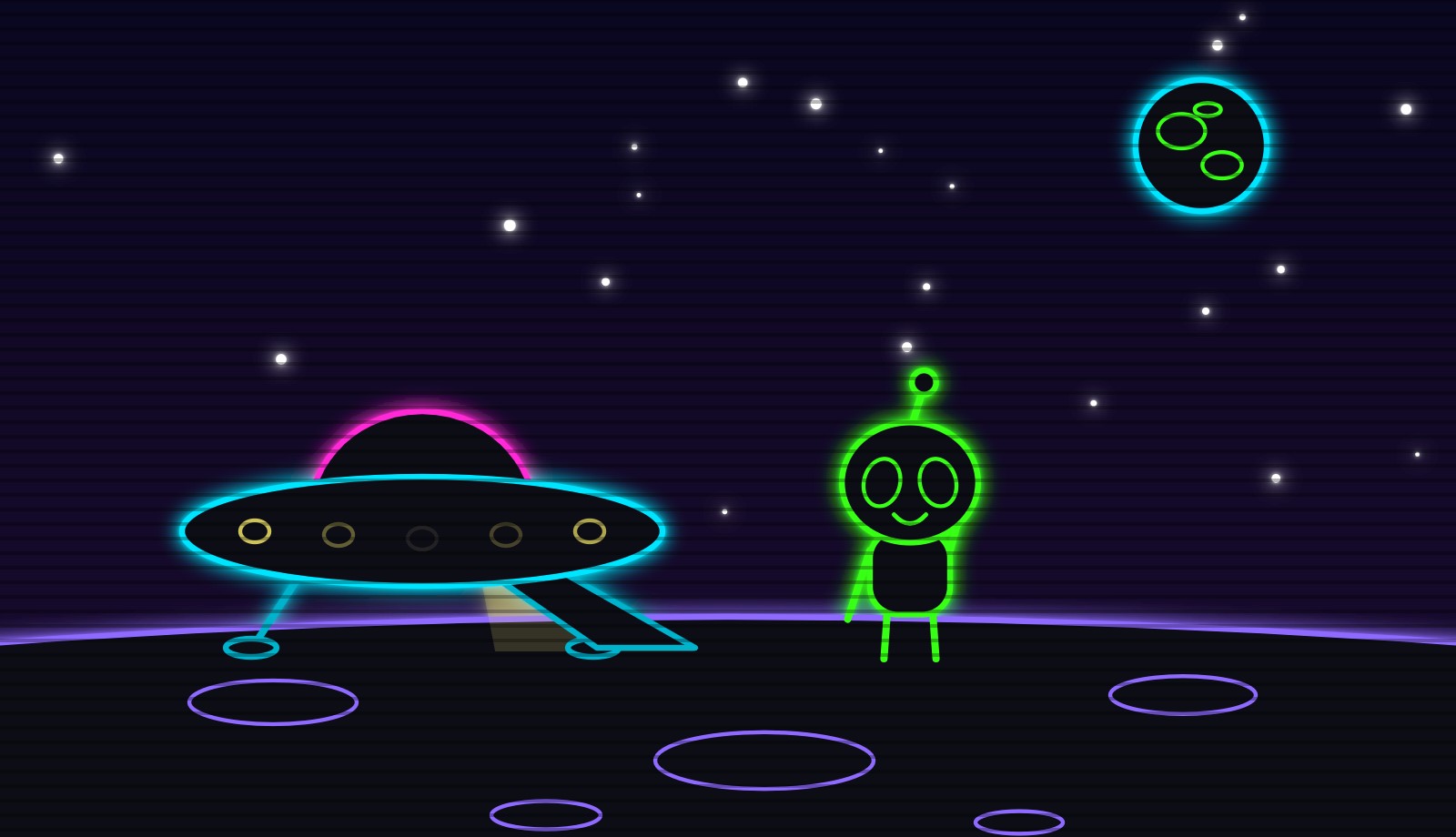
04Neon
Make an animated scene as ONE self-contained HTML file (inline SVG + vanilla JavaScript, no libraries, no external images or fonts), 16:9, looping every 6 seconds. Scene: [DESCRIBE YOUR SCENE HERE]. Draw every character and object from simple SVG shapes (ellipses, rounded rectangles, paths, thick round-capped lines for arms and legs). Drive everything from one time variable so the loop is seamless. Style: NEON. Dark night background (vertical gradient #0A0720 to #1A0B2E). Everything is glowing neon tubing: colored outlines 3 px wide (magenta #FF2BD6, cyan #00E5FF, lime #39FF14, yellow #FFF36B, violet #8E6BFF), shapes filled with near-black #090716 so they hide what is behind. Glow = an SVG filter that merges two copies blurred with stdDeviation 5, one blurred 1.4 and the sharp original. Draw faint horizontal scanlines over the frame (every 8 px, black at 28%). Smooth 30 fps.
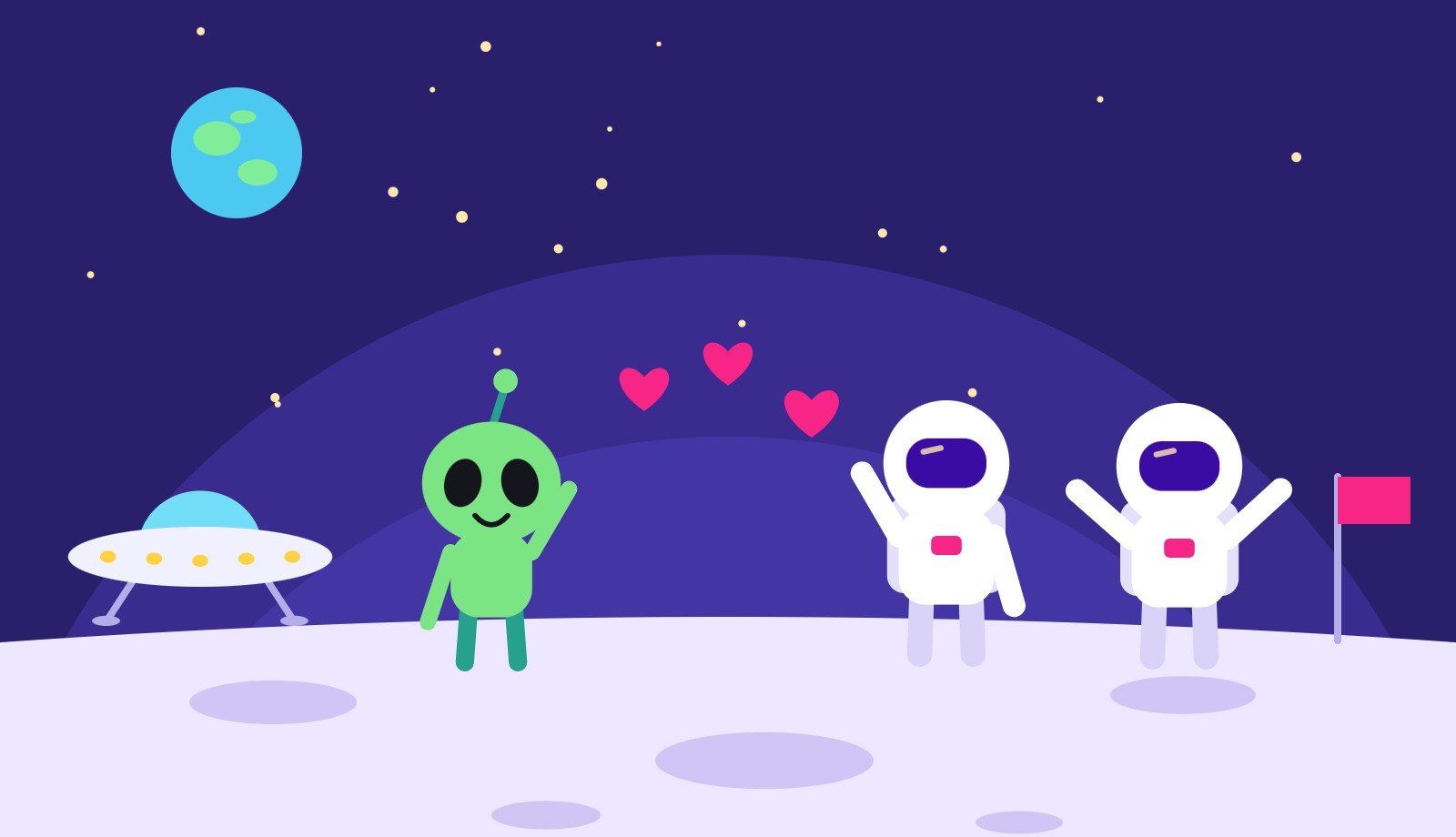
05Flat Vector
Make an animated scene as ONE self-contained HTML file (inline SVG + vanilla JavaScript, no libraries, no external images or fonts), 16:9, looping every 6 seconds. Scene: [DESCRIBE YOUR SCENE HERE]. Draw every character and object from simple SVG shapes (ellipses, rounded rectangles, paths, thick round-capped lines for arms and legs). Drive everything from one time variable so the loop is seamless. Style: FLAT VECTOR. Modern flat motion graphics: bold solid shapes, no outlines, no gradients, no textures. Palette of 6 to 8 colors (deep purple background #2A1F6B, pink #F72585, cyan #4CC9F0, mint #80ED99, yellow #FFB703, white, lilac #EDE8FF). Use big simple geometric shapes in the background for depth. Smooth 30 fps with ease-in-out moves and a small overshoot (back-out easing) on every entrance.
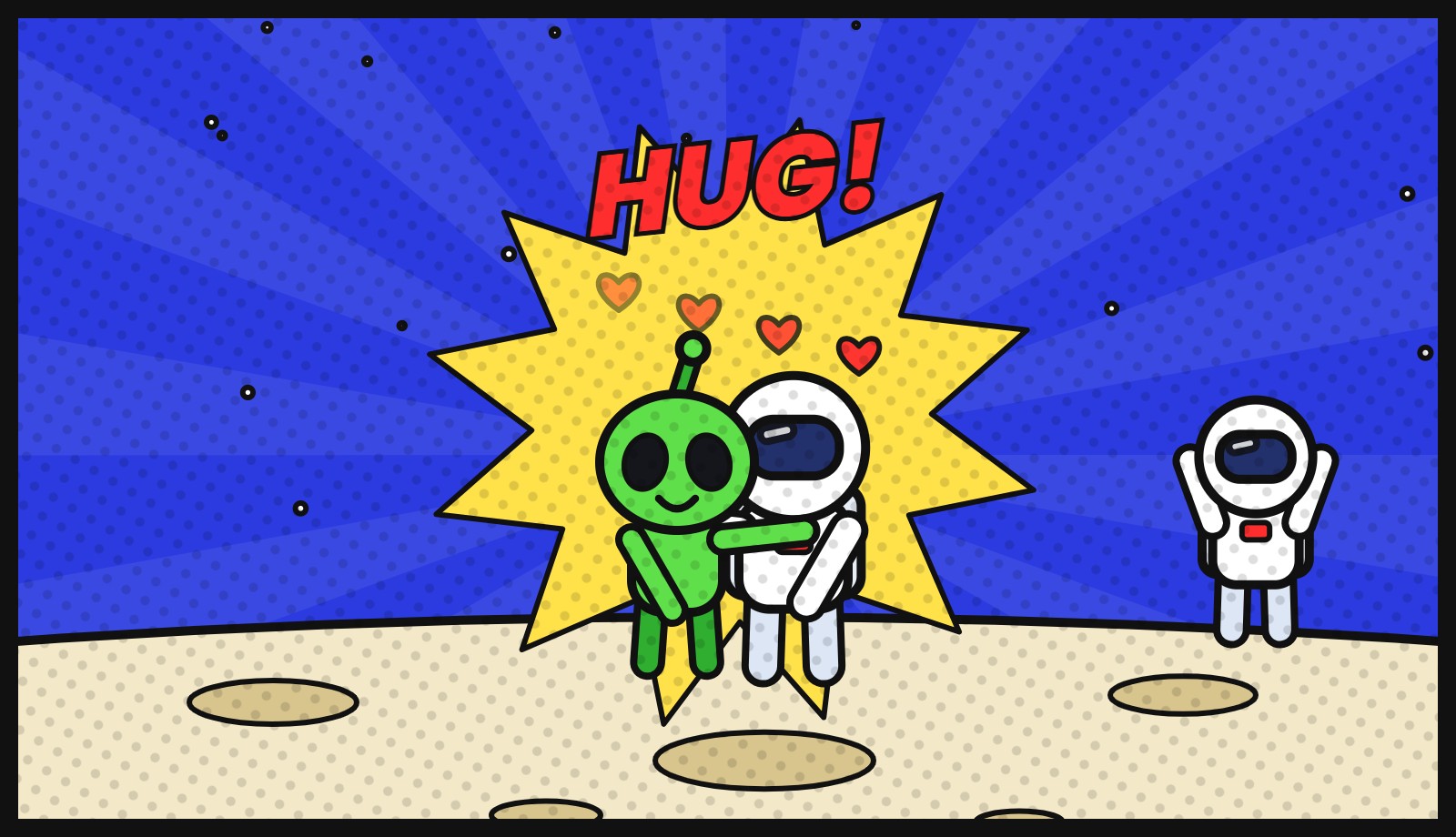
06Comic Book
Make an animated scene as ONE self-contained HTML file (inline SVG + vanilla JavaScript, no libraries, no external images or fonts), 16:9, looping every 6 seconds. Scene: [DESCRIBE YOUR SCENE HERE]. Draw every character and object from simple SVG shapes (ellipses, rounded rectangles, paths, thick round-capped lines for arms and legs). Drive everything from one time variable so the loop is seamless. Style: COMIC BOOK. A pop-art comic panel: saturated flat colors with a thick black outline (5 px, round joins) on every shape; arms and legs are a black line with a slightly thinner colored line on top. Cover the whole frame with a halftone pattern (12-px grid rotated 30 degrees, black dots, about 13% opacity), put radiating light rays in the background and a 10-px black border around the panel. At the key moment show an action word (for example "HUG!") in bold italic with a black stroke inside a yellow starburst. 12 fps with snappy poses.
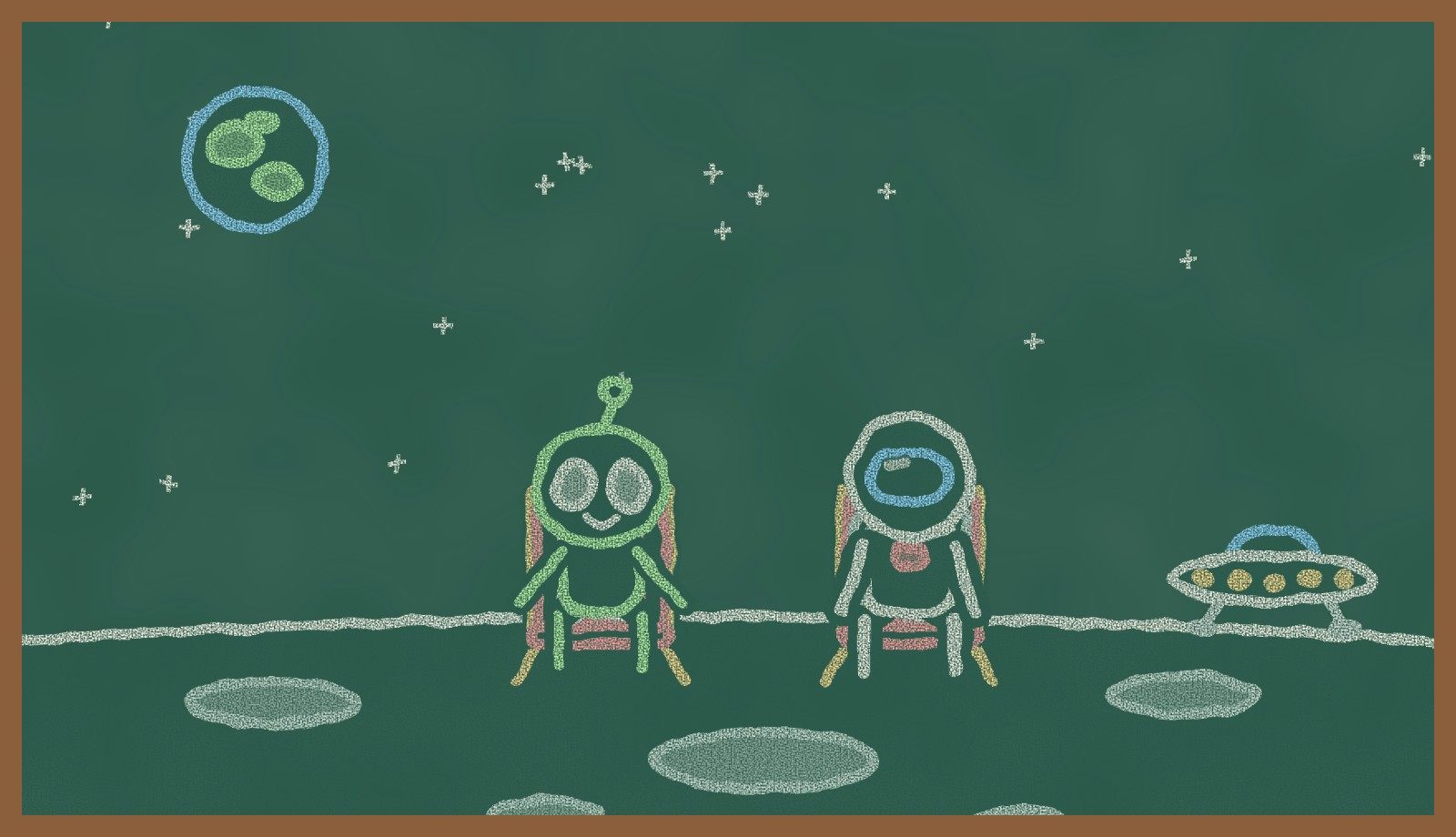
07Chalkboard
Make an animated scene as ONE self-contained HTML file (inline SVG + vanilla JavaScript, no libraries, no external images or fonts), 16:9, looping every 6 seconds. Scene: [DESCRIBE YOUR SCENE HERE]. Draw every character and object from simple SVG shapes (ellipses, rounded rectangles, paths, thick round-capped lines for arms and legs). Drive everything from one time variable so the loop is seamless. Style: CHALKBOARD. A green chalkboard (#2C5A4B) with a wooden frame. Everything is drawn in chalk: off-white and pastel strokes 5 to 6 px wide; fill shapes with the board color so they hide what is behind. Chalk texture = an SVG filter: feTurbulence (fractalNoise, baseFrequency 0.055) + feDisplacementMap scale 5 to make the lines wobble, then mask the result with a fine noise (baseFrequency 1.1) so the strokes look dusty. Animate at 8 fps and change the turbulence seed on every frame so the lines "boil" like hand-drawn animation.
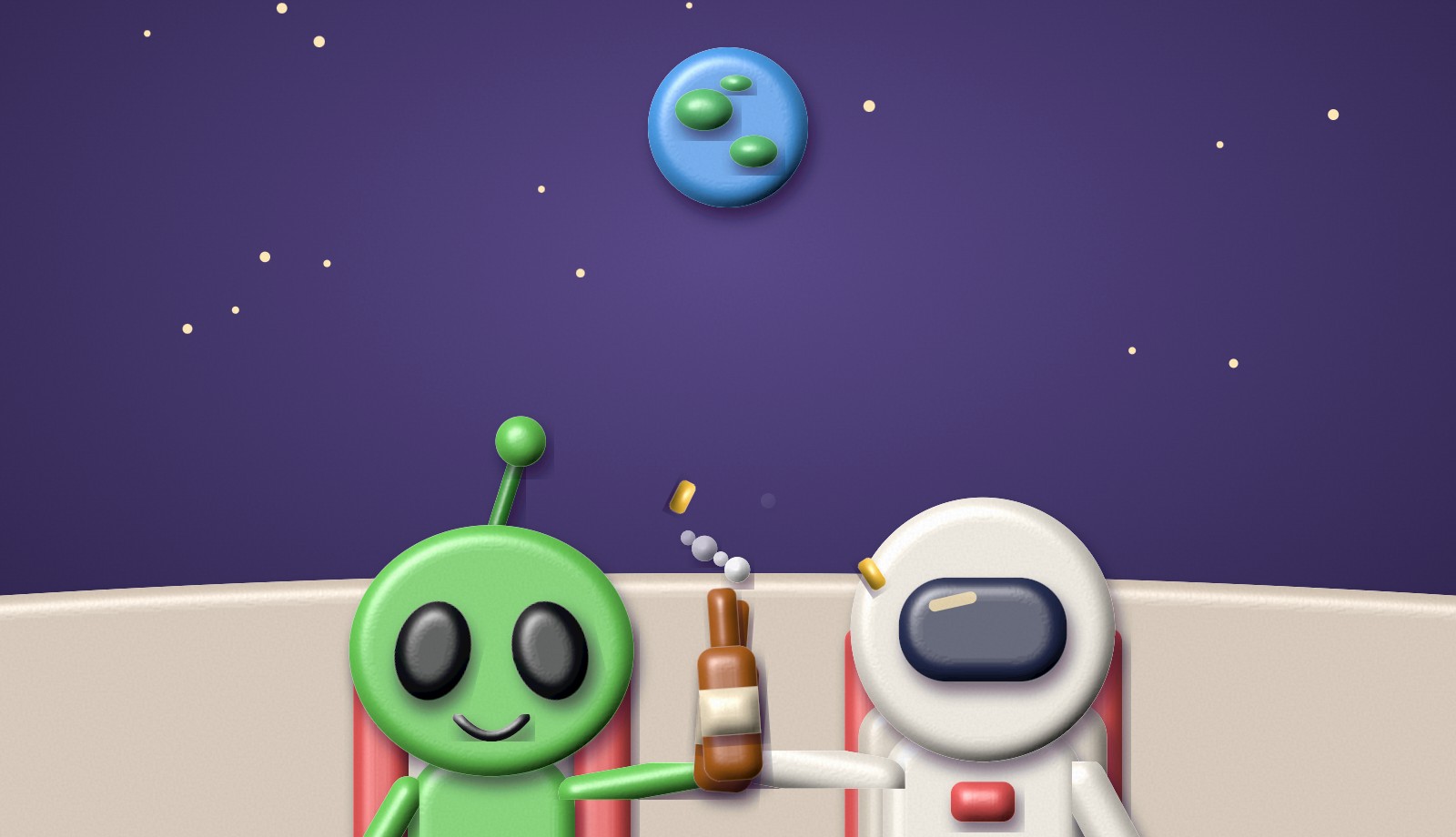
08Claymation
Make an animated scene as ONE self-contained HTML file (inline SVG + vanilla JavaScript, no libraries, no external images or fonts), 16:9, looping every 6 seconds. Scene: [DESCRIBE YOUR SCENE HERE]. Draw every character and object from simple SVG shapes (ellipses, rounded rectangles, paths, thick round-capped lines for arms and legs). Drive everything from one time variable so the loop is seamless. Style: CLAYMATION. Stop-motion modelling clay: rounded chunky shapes in warm saturated colors. Light every shape like a 3D lump of clay with an SVG lighting filter: blur the alpha (stdDeviation 4.5) → feDiffuseLighting (surfaceScale 7, distant light azimuth 235, elevation 52) multiplied over the color → feSpecularLighting (specularExponent 22) added on top for a soft highlight → a soft drop shadow. Dark purple studio backdrop with a radial gradient and subtle grain. 12 fps with tiny imperfections, squash and stretch.
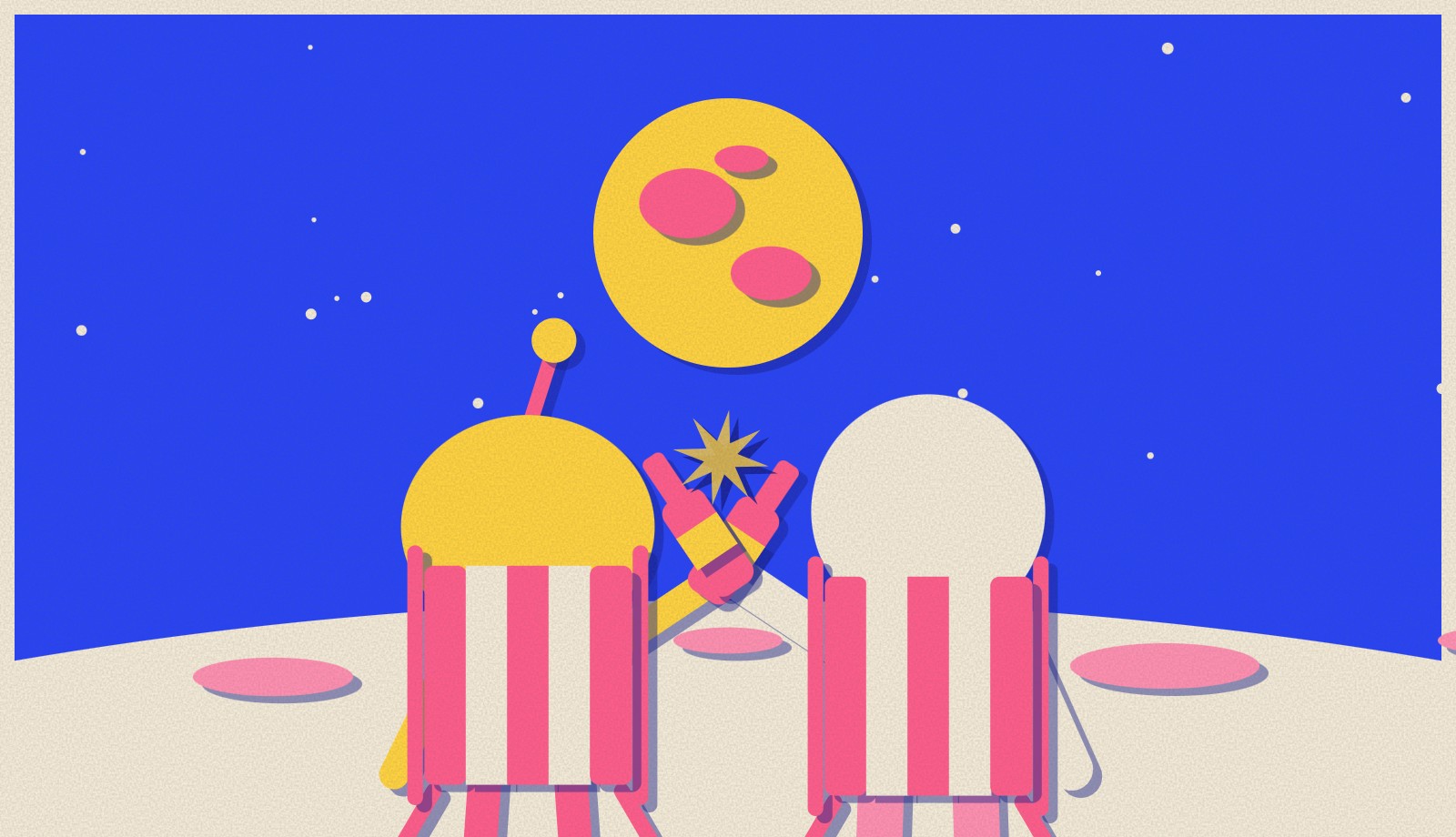
09Risograph
Make an animated scene as ONE self-contained HTML file (inline SVG + vanilla JavaScript, no libraries, no external images or fonts), 16:9, looping every 6 seconds. Scene: [DESCRIBE YOUR SCENE HERE]. Draw every character and object from simple SVG shapes (ellipses, rounded rectangles, paths, thick round-capped lines for arms and legs). Drive everything from one time variable so the loop is seamless. Style: RISOGRAPH. A three-ink riso print: use ONLY cream paper #F3EAD7, blue #2742F5, pink #FF5C8A and yellow #FFD23F. Flat shapes, no outlines. Fake the misregistration: draw every colored shape twice, first a dark-blue ghost (#141C8A at 45%) shifted 5 px right and 4 px down, then the real shape on top. Multiply a heavy grain over everything (feTurbulence fractalNoise baseFrequency 0.85) and leave an 8-px cream paper margin around the frame. 12 fps.
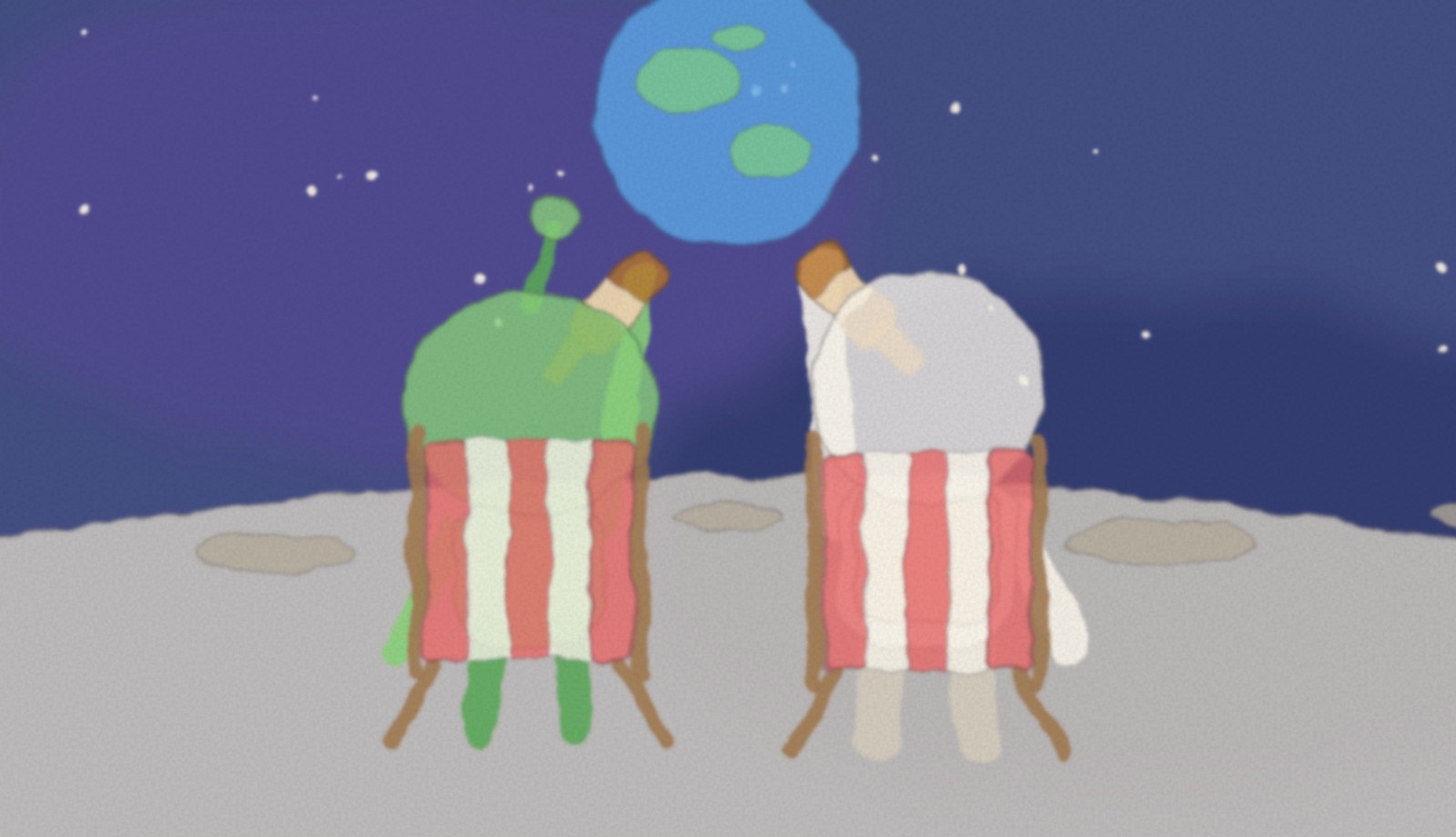
10Watercolor
Make an animated scene as ONE self-contained HTML file (inline SVG + vanilla JavaScript, no libraries, no external images or fonts), 16:9, looping every 6 seconds. Scene: [DESCRIBE YOUR SCENE HERE]. Draw every character and object from simple SVG shapes (ellipses, rounded rectangles, paths, thick round-capped lines for arms and legs). Drive everything from one time variable so the loop is seamless. Style: WATERCOLOR. Hand-painted watercolor on cream paper #F6F0E2: soft translucent fills (80% opacity) with a thin, slightly darker edge. Pass all the artwork through a filter that wobbles the edges (feTurbulence fractalNoise baseFrequency 0.035, 3 octaves + feDisplacementMap scale 9) and blurs it 0.9 px. The background is a large blurred wash of indigo and violet (displacement 60, blur 14) that does not reach the paper edges evenly. Multiply a paper grain on top. Slow, smooth 30 fps motion; change the turbulence seed every 6 frames so the paint seems to breathe.
이 팩에 포함된 스킬 8개
- design260k
#1pixel-art
사진을 클래식 콘솔 팔레트의 레트로 픽셀 아트로 바꾸고, 짧은 반복 MP4나 GIF 애니메이션으로 만들 수 있습니다.
이 팩에 포함된 이유: Turns a photo into real pixel art and can animate it into a short loop. Goes with style 01.
스킬 보기 → - video78k
#2hyperframes
HTML을 프레임 단위 영상으로 바꾸는 HyperFrames로 영상을 만들고, 편집하고, 애니메이션하고, 렌더링하도록 에이전트를 안내합니다.
이 팩에 포함된 이유: Builds captioned videos from code: use it to turn your animation into a finished clip.
스킬 보기 → - video75k
#3motion-graphics
움직임이 메시지를 전하는 짧고 디자인 중심의 모션 그래픽을 만듭니다. 키네틱 타이포그래피, 숫자 카운트업, 로고 스팅 등이 포함됩니다.
이 팩에 포함된 이유: Short motion graphics with no voiceover, where the motion is the message. Goes with the flat vector style.
스킬 보기 → - video101k
#4huashu-art-motion
예술적인 애니메이션과 내레이션을 만드는 데 도움을 줍니다. 예술 스타일과 시간에 맞춘 애니메이션을 만드는 도구를 제공합니다.
이 팩에 포함된 이유: Artistic animations and visual explanations in dozens of art styles, when you want to go beyond these ten.
스킬 보기 → - video101k
#5sprite-animation
에이전트가 픽셀 아트 스타일의 애니메이션 설명 슬라이드를 만들도록 돕습니다. 애니메이션 마스코트와 움직이는 텍스트가 있어 녹화할 준비가 되어 있습니다.
이 팩에 포함된 이유: An animated slide in old video game style, with a pixel art character.
스킬 보기 → - design48k
#6claymorphism
에이전트가 부드러운 3D 요소와 둥근 모양이 있는 인터페이스를 만들도록 돕습니다. 앱에 현대적이고 촉감이 느껴지는 모습을 주는 데 유용합니다.
이 팩에 포함된 이유: The soft clay look for interfaces, a cousin of the claymation style.
스킬 보기 → - docs260k
#7excalidraw
순서도나 구조도 같은 손그림 스타일 다이어그램을 Excalidraw 파일로 만들어 줍니다.
이 팩에 포함된 이유: Hand-drawn diagrams you can edit, a cousin of the chalkboard style.
스킬 보기 → - video48k
#8threejs-animation
Three.js 라이브러리로 3D 애니메이션을 만들어, 객체를 움직이고 움직임을 섞으며 웹 프로젝트의 3D 모델을 살아 움직이게 합니다.
이 팩에 포함된 이유: 3D animation in the browser, for when flat shapes are not enough.
스킬 보기 →
자주 묻는 질문
How do I use the 10 prompts?
Pick a style, copy its prompt, replace [DESCRIBE YOUR SCENE HERE] with your own scene and paste it into Claude (or any AI that writes code). It answers with one HTML file: open it in your browser to watch the animation. To see the same scene in another style, keep your scene and use the next prompt.
Is there a skill with all 10 styles?
Yes. Paste this link into your AI and tell it which style you want: https://raw.githubusercontent.com/pahesilva1/skillpedia-skills/main/claude-animation-styles/SKILL.md . The folder with the skill and a reference picture of each style is at https://github.com/pahesilva1/skillpedia-skills/tree/main/claude-animation-styles . In Claude Code, Codex or Cursor you can install it with: npx skills add pahesilva1/skillpedia-skills --skill claude-animation-styles
Do I need to install anything?
No. The prompts work in any chat with an AI that writes code. The skills in this pack are optional extras: they help when you want pixel art from a photo, a finished MP4 with voice and captions, or 3D.