
📦 8 个技能的技能包
Pack: 10 animation styles for Claude, with a prompt for each
Pixel art, paper cutout, blueprint, neon, flat vector, comic book, chalkboard, claymation, risograph and watercolor. Each one comes with a reference picture and a prompt you can copy with one click.
复制并粘贴到你的 AI
一个链接就能拿到技能包里的所有技能。你的 AI 会读取每个 SKILL.md 并按说明完成你的任务。
可直接粘贴的消息
请用这个包含 8 个技能的技能包来帮我:https://www.useskillpedia.com/pack/10-claude-animation-styles.md
阅读这个文件,打开其中列出的每个 SKILL.md,并在我的任务中遵循所有技能的说明。
在终端中(Claude Code、Codex、Cursor)
在项目文件夹中运行,一次全部安装。
npx skills add NousResearch/hermes-agent --skill pixel-art
npx skills add heygen-com/hyperframes --skill hyperframes
npx skills add calesthio/OpenMontage --skill motion-graphics
npx skills add nexu-io/open-design --skill huashu-art-motion
npx skills add nexu-io/open-design --skill sprite-animation
npx skills add sickn33/agentic-awesome-skills --skill claymorphism
npx skills add NousResearch/hermes-agent --skill excalidraw
npx skills add sickn33/agentic-awesome-skills --skill threejs-animation
The 10 prompts
Copy the prompt of the style you want, replace [DESCRIBE YOUR SCENE HERE] with your scene and paste it into your AI.
Want all 10 styles inside your AI?
Copy this message, paste it into your AI and name the style you want.
Read https://raw.githubusercontent.com/pahesilva1/skillpedia-skills/main/claude-animation-styles/SKILL.md and follow it. Animate this scene in the [STYLE NAME] style: [DESCRIBE YOUR SCENE HERE].
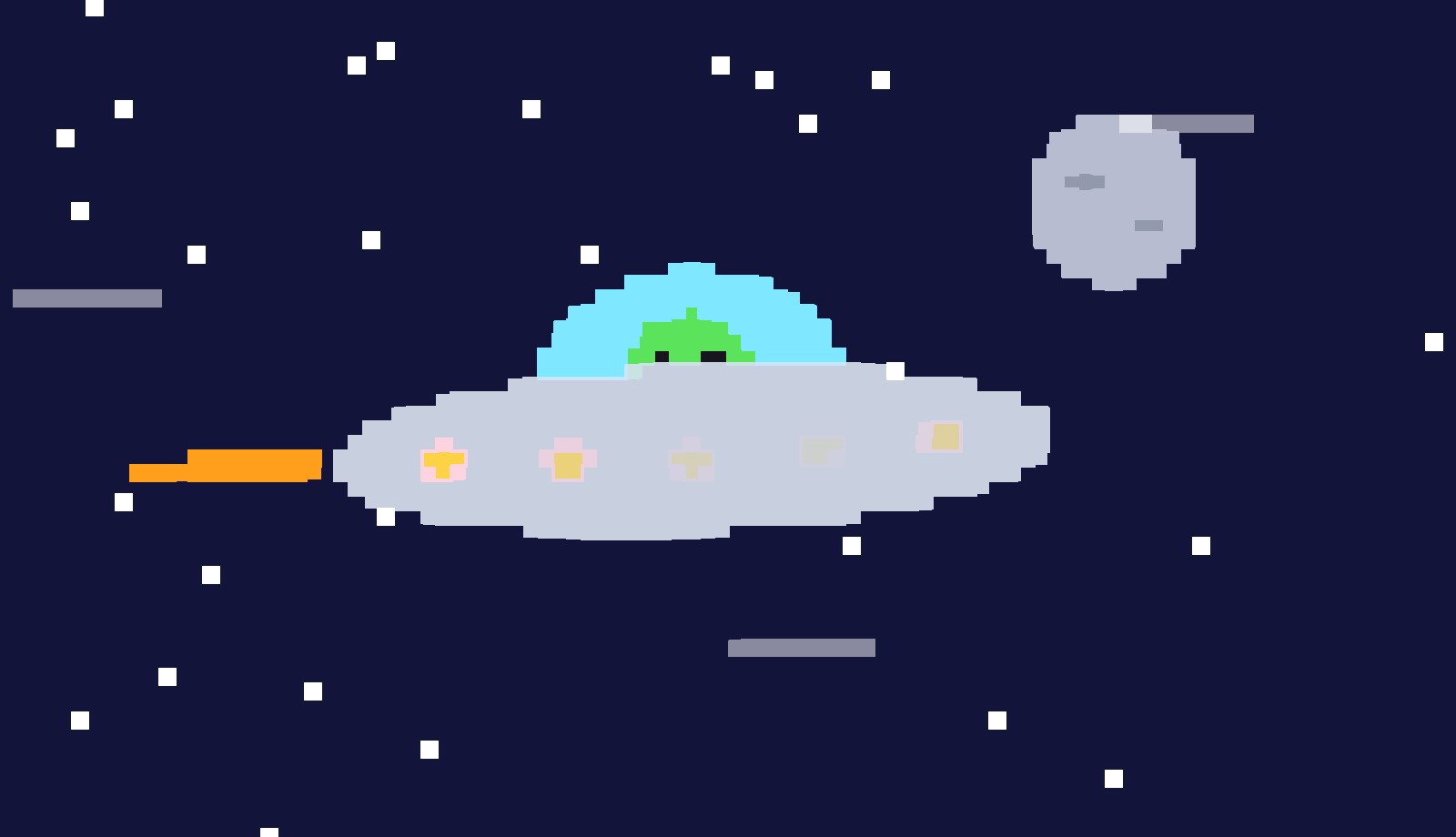
01Pixel Art
Make an animated scene as ONE self-contained HTML file (inline SVG + vanilla JavaScript, no libraries, no external images or fonts), 16:9, looping every 6 seconds. Scene: [DESCRIBE YOUR SCENE HERE]. Draw every character and object from simple SVG shapes (ellipses, rounded rectangles, paths, thick round-capped lines for arms and legs). Drive everything from one time variable so the loop is seamless. Style: PIXEL ART. Flat colors only, no outlines and no gradients. Snap the whole drawing to an 8-px grid with an SVG mosaic filter: feFlood (x=3 y=3 width=2 height=2) → feComposite (width=8 height=8) → feTile → feComposite in=SourceGraphic operator=in → feMorphology dilate radius=4. The filter must use filterUnits="userSpaceOnUse" covering the whole frame, and the group needs shape-rendering="crispEdges". Use a small retro-console palette (deep navy background, 12 to 16 saturated colors). Animate at 12 frames per second and move things in whole-pixel steps. Stars are single 8-px squares.
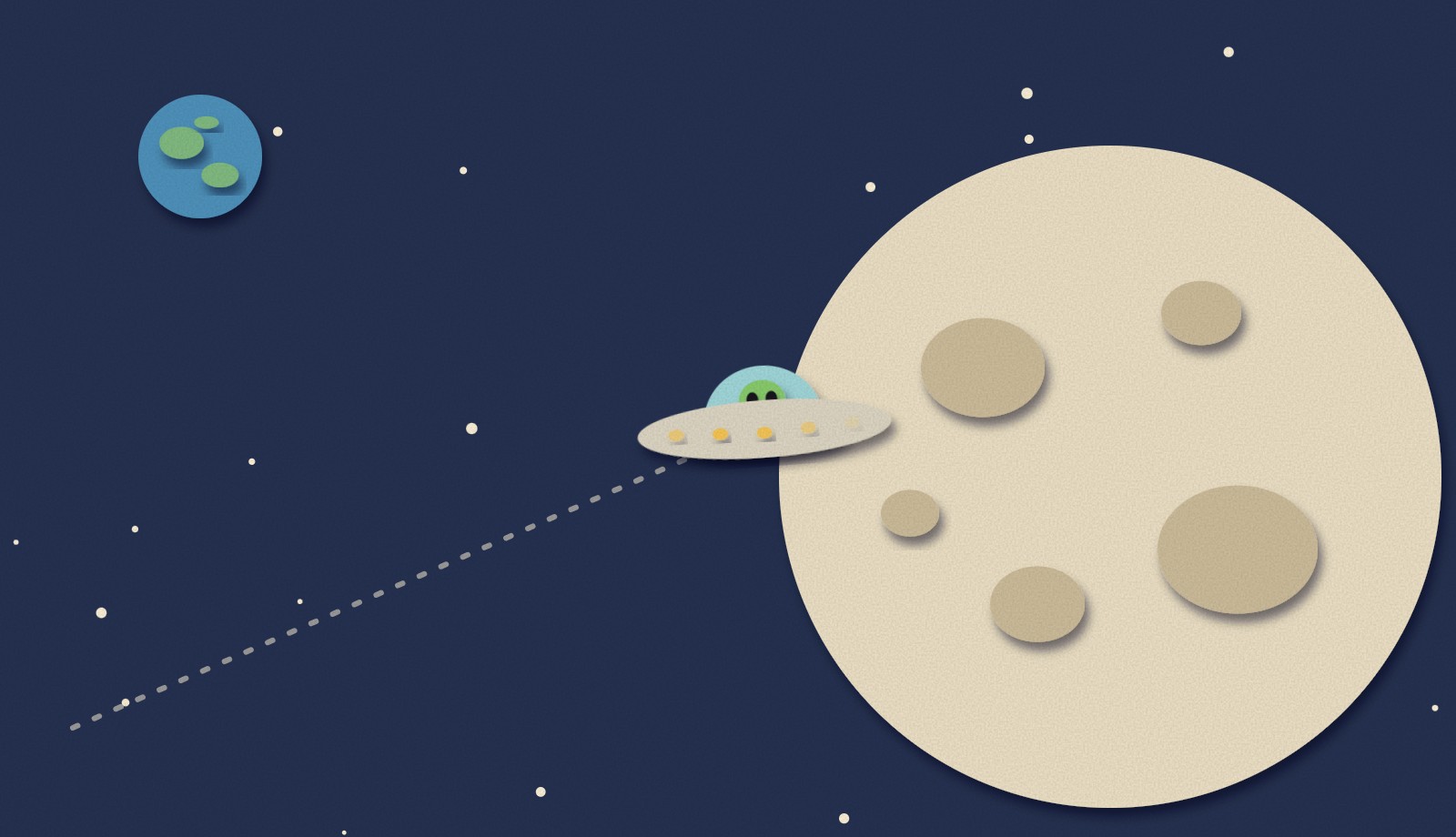
02Paper Cutout
Make an animated scene as ONE self-contained HTML file (inline SVG + vanilla JavaScript, no libraries, no external images or fonts), 16:9, looping every 6 seconds. Scene: [DESCRIBE YOUR SCENE HERE]. Draw every character and object from simple SVG shapes (ellipses, rounded rectangles, paths, thick round-capped lines for arms and legs). Drive everything from one time variable so the loop is seamless. Style: PAPER CUTOUT. Every shape is a piece of cut paper: flat muted colors (kraft, cream, dusty blue, sage, mustard), no outlines. Give each layer a soft drop shadow (feDropShadow dx=2.5 dy=5 stdDeviation=2.6, dark, 50% opacity) so the layers look stacked on a table. Add a paper-grain overlay on top (feTurbulence fractalNoise baseFrequency=0.9, blended with multiply at about 50%). Animate on twos (12 fps) like stop motion: layers slide, tilt and rotate, they never morph.
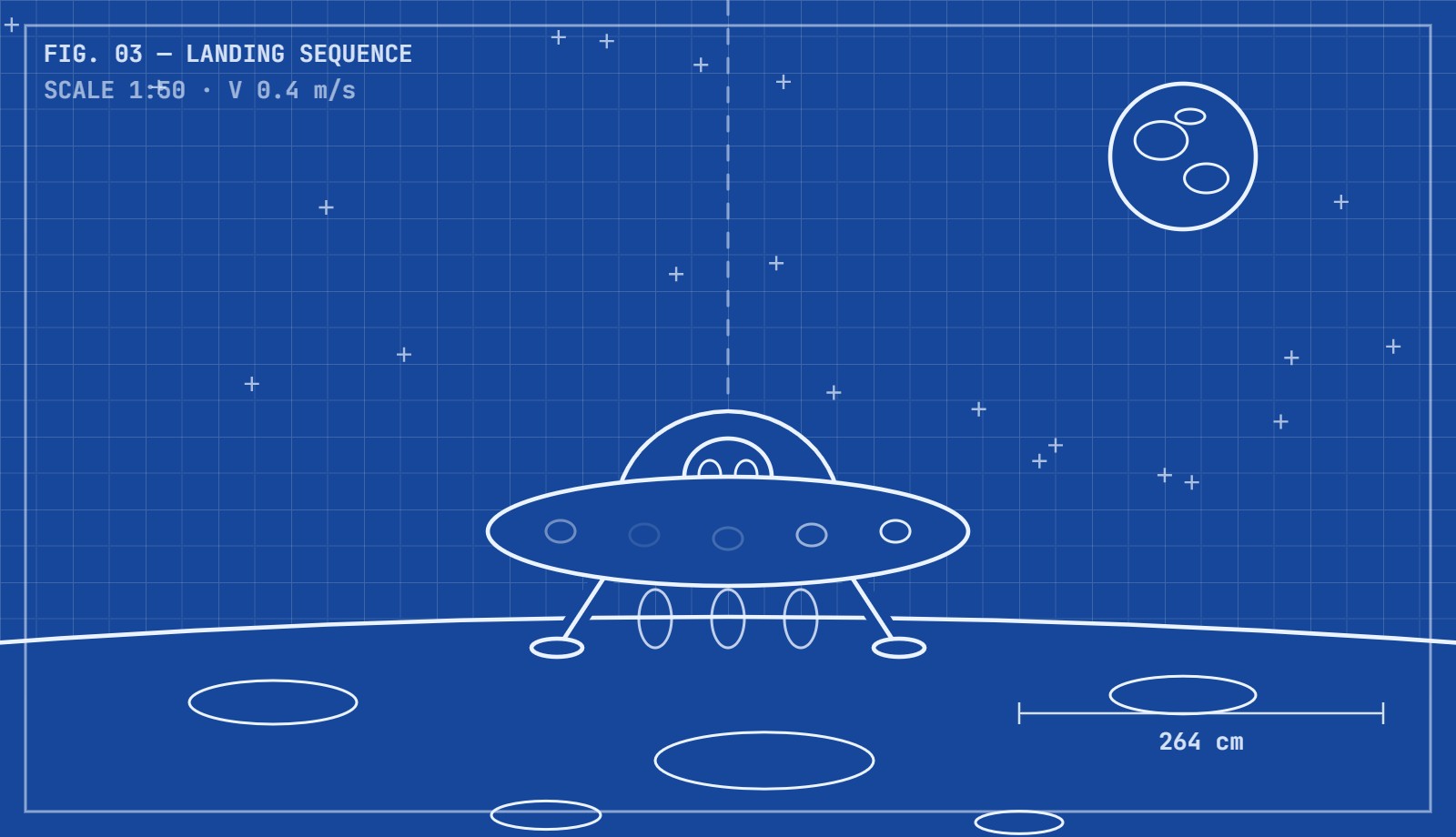
03Blueprint
Make an animated scene as ONE self-contained HTML file (inline SVG + vanilla JavaScript, no libraries, no external images or fonts), 16:9, looping every 6 seconds. Scene: [DESCRIBE YOUR SCENE HERE]. Draw every character and object from simple SVG shapes (ellipses, rounded rectangles, paths, thick round-capped lines for arms and legs). Drive everything from one time variable so the loop is seamless. Style: BLUEPRINT. A technical drawing on blueprint paper: background #17479A with a 40-px white grid at 16% opacity and a finer 20-px grid at 7%. Draw everything as thin white outlines (2.3 px, round joins); fill shapes with the background color so they hide the lines behind them. Add dashed construction lines, dimension lines with measurements, a thin frame, and a title block such as "FIG. 01 — LANDING SEQUENCE" in a monospace font with a live readout (speed, scale). Smooth 30 fps motion, like an engineering simulation.
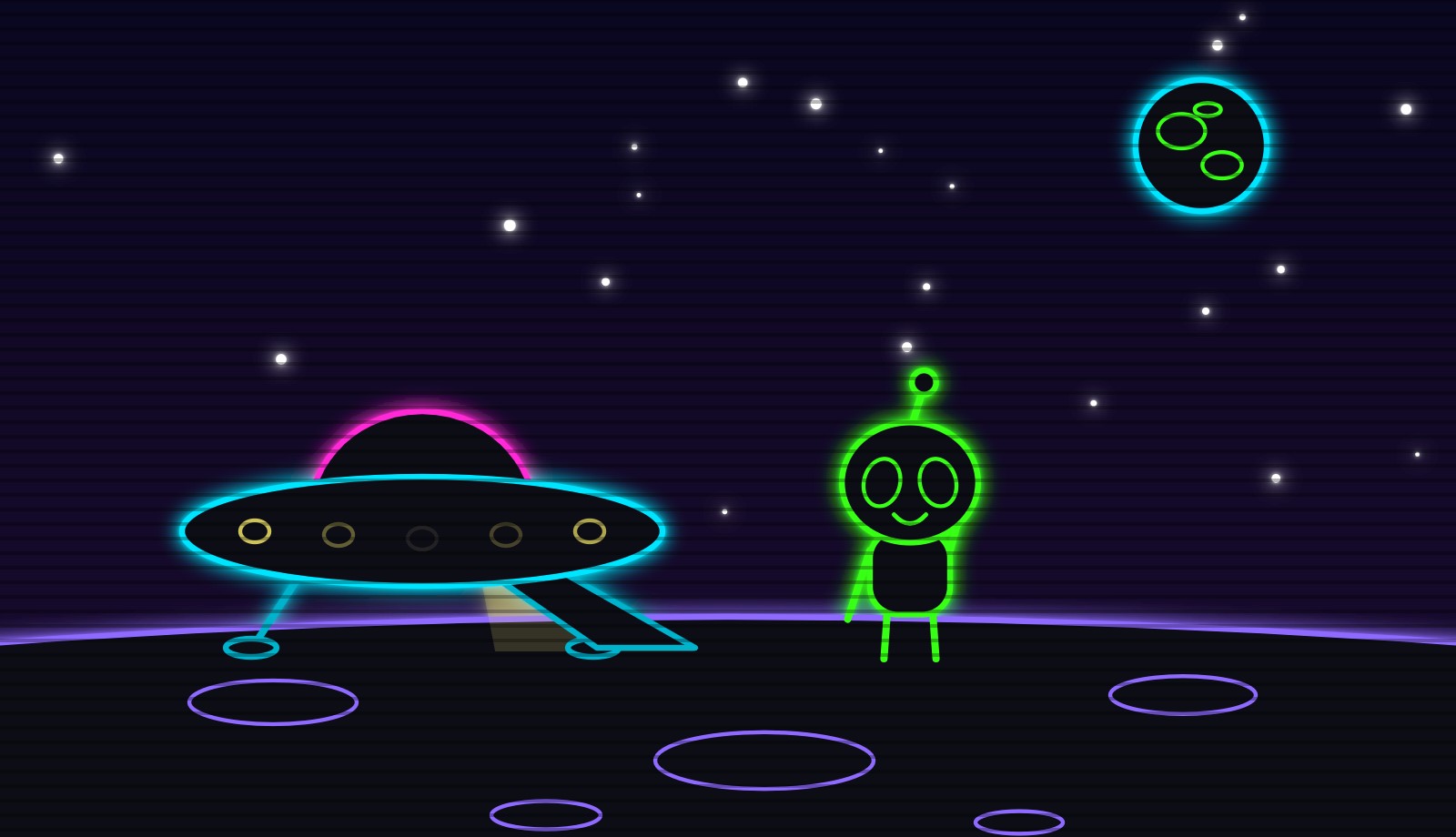
04Neon
Make an animated scene as ONE self-contained HTML file (inline SVG + vanilla JavaScript, no libraries, no external images or fonts), 16:9, looping every 6 seconds. Scene: [DESCRIBE YOUR SCENE HERE]. Draw every character and object from simple SVG shapes (ellipses, rounded rectangles, paths, thick round-capped lines for arms and legs). Drive everything from one time variable so the loop is seamless. Style: NEON. Dark night background (vertical gradient #0A0720 to #1A0B2E). Everything is glowing neon tubing: colored outlines 3 px wide (magenta #FF2BD6, cyan #00E5FF, lime #39FF14, yellow #FFF36B, violet #8E6BFF), shapes filled with near-black #090716 so they hide what is behind. Glow = an SVG filter that merges two copies blurred with stdDeviation 5, one blurred 1.4 and the sharp original. Draw faint horizontal scanlines over the frame (every 8 px, black at 28%). Smooth 30 fps.
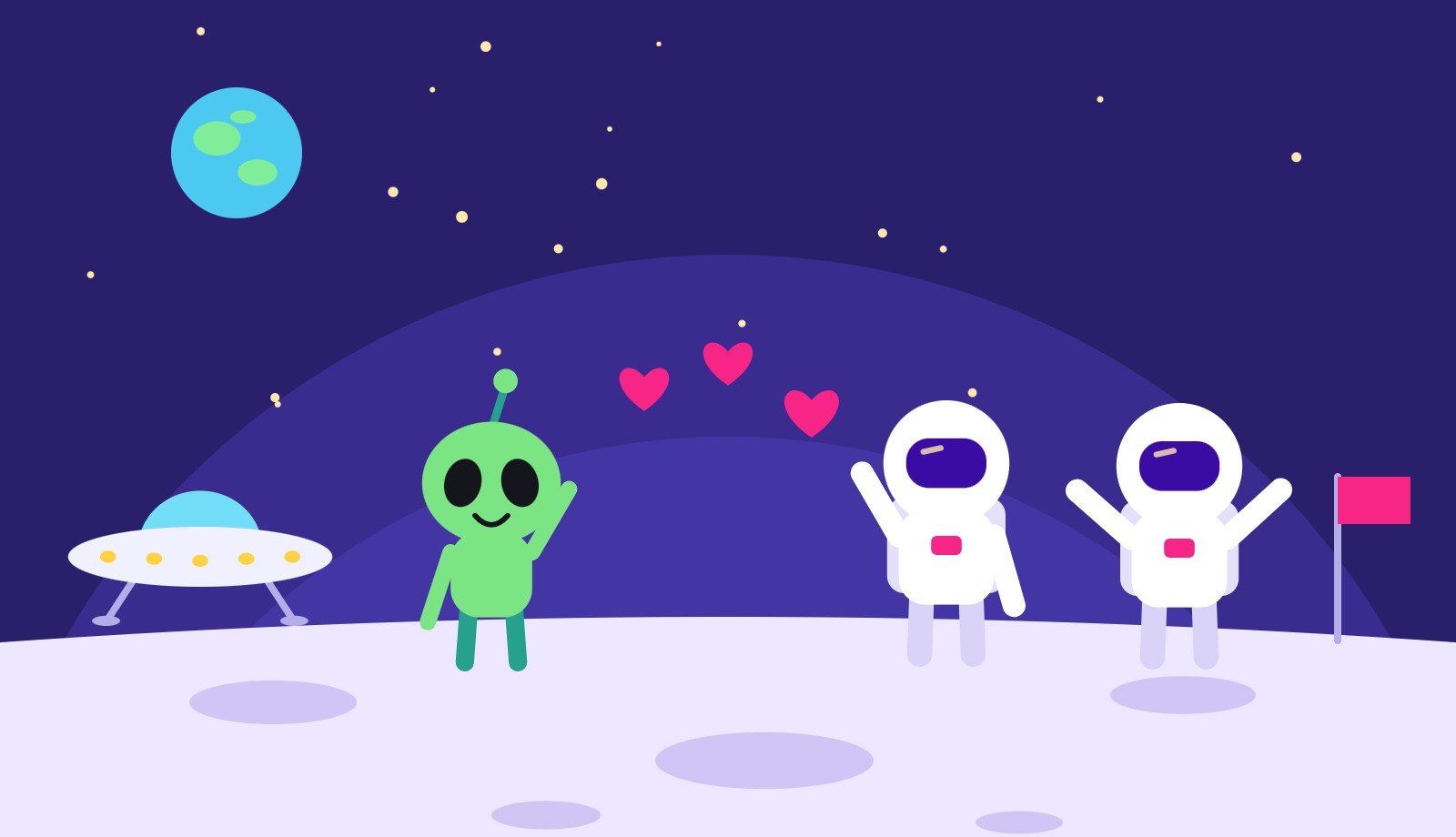
05Flat Vector
Make an animated scene as ONE self-contained HTML file (inline SVG + vanilla JavaScript, no libraries, no external images or fonts), 16:9, looping every 6 seconds. Scene: [DESCRIBE YOUR SCENE HERE]. Draw every character and object from simple SVG shapes (ellipses, rounded rectangles, paths, thick round-capped lines for arms and legs). Drive everything from one time variable so the loop is seamless. Style: FLAT VECTOR. Modern flat motion graphics: bold solid shapes, no outlines, no gradients, no textures. Palette of 6 to 8 colors (deep purple background #2A1F6B, pink #F72585, cyan #4CC9F0, mint #80ED99, yellow #FFB703, white, lilac #EDE8FF). Use big simple geometric shapes in the background for depth. Smooth 30 fps with ease-in-out moves and a small overshoot (back-out easing) on every entrance.
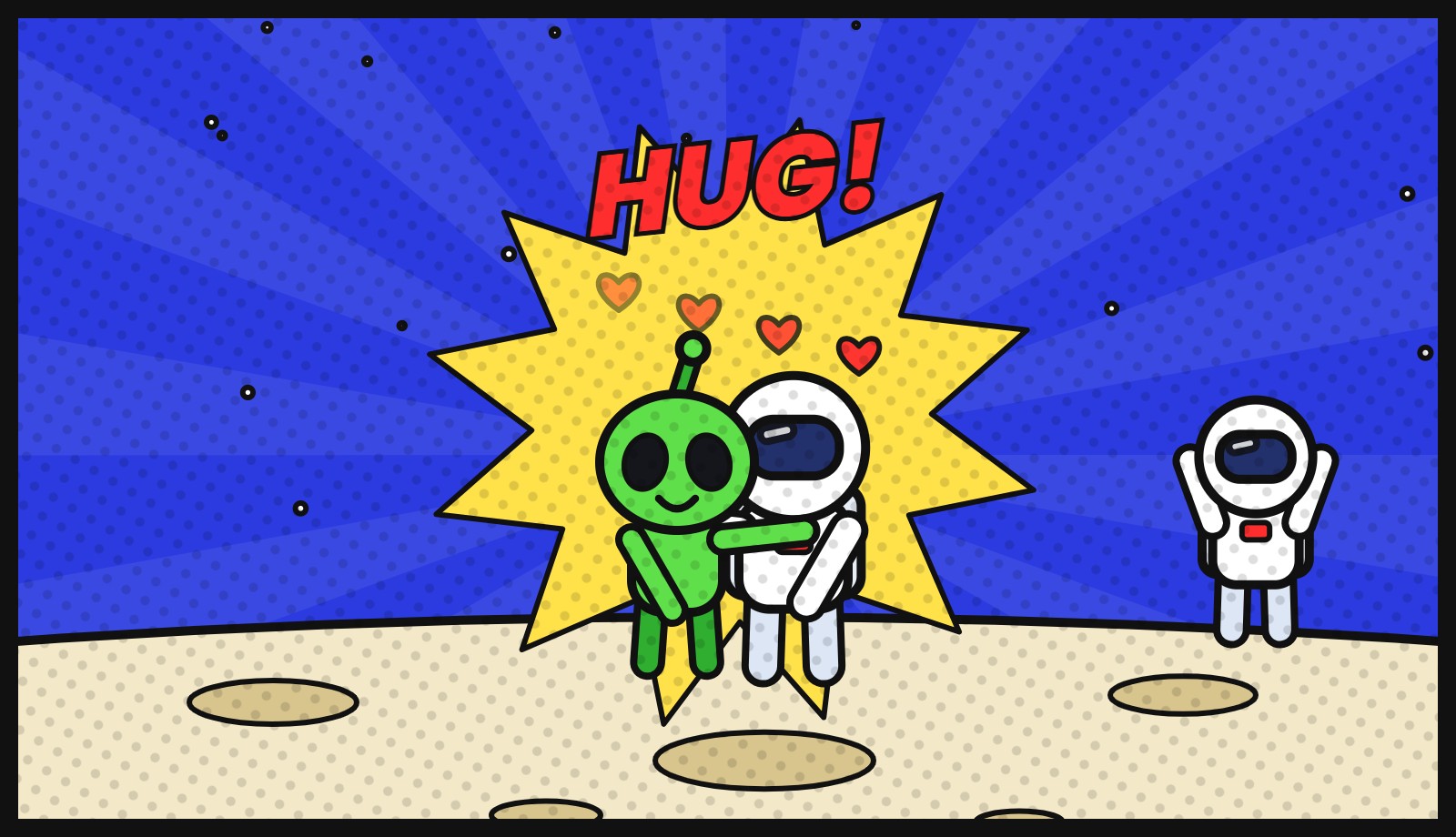
06Comic Book
Make an animated scene as ONE self-contained HTML file (inline SVG + vanilla JavaScript, no libraries, no external images or fonts), 16:9, looping every 6 seconds. Scene: [DESCRIBE YOUR SCENE HERE]. Draw every character and object from simple SVG shapes (ellipses, rounded rectangles, paths, thick round-capped lines for arms and legs). Drive everything from one time variable so the loop is seamless. Style: COMIC BOOK. A pop-art comic panel: saturated flat colors with a thick black outline (5 px, round joins) on every shape; arms and legs are a black line with a slightly thinner colored line on top. Cover the whole frame with a halftone pattern (12-px grid rotated 30 degrees, black dots, about 13% opacity), put radiating light rays in the background and a 10-px black border around the panel. At the key moment show an action word (for example "HUG!") in bold italic with a black stroke inside a yellow starburst. 12 fps with snappy poses.
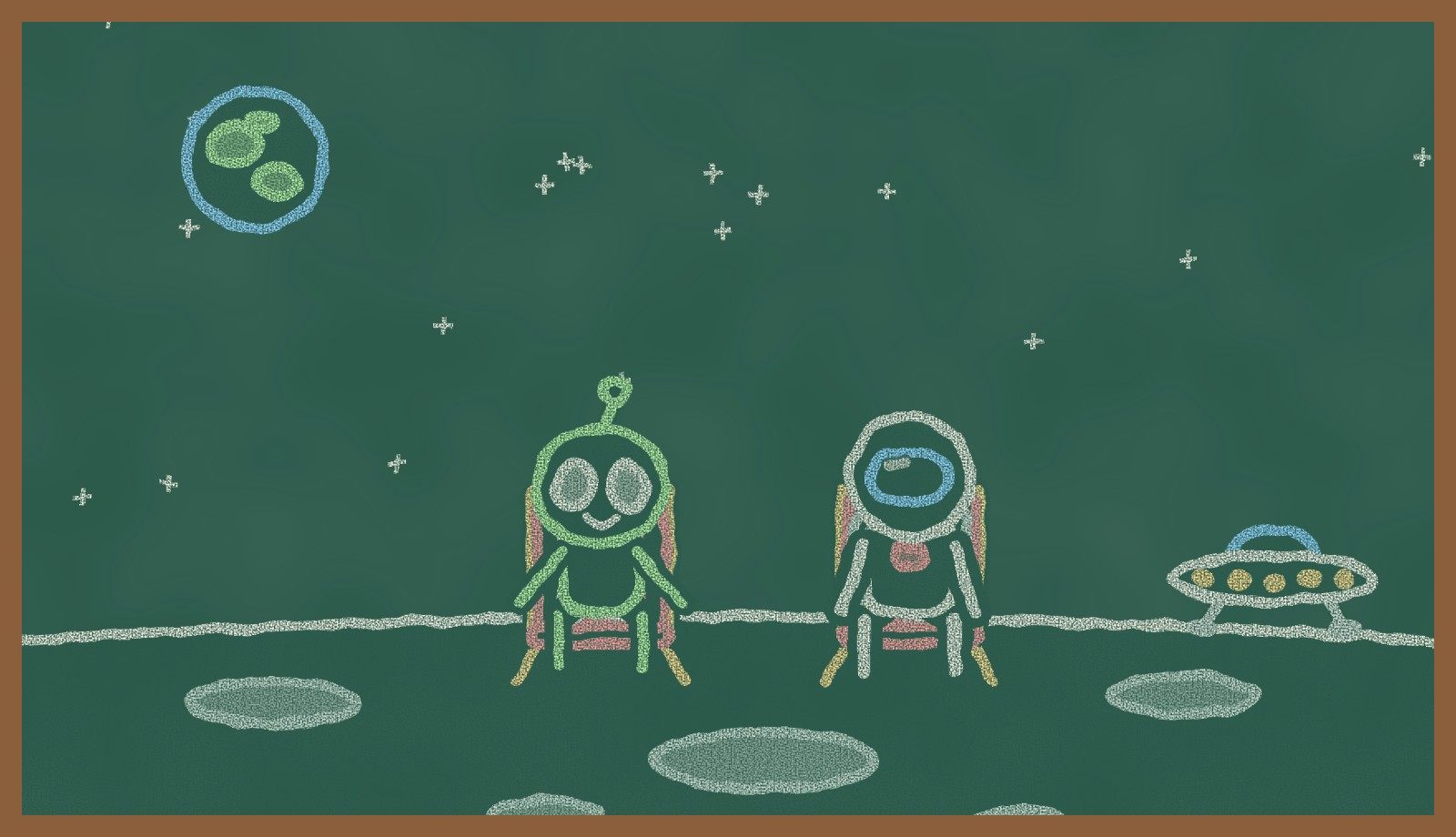
07Chalkboard
Make an animated scene as ONE self-contained HTML file (inline SVG + vanilla JavaScript, no libraries, no external images or fonts), 16:9, looping every 6 seconds. Scene: [DESCRIBE YOUR SCENE HERE]. Draw every character and object from simple SVG shapes (ellipses, rounded rectangles, paths, thick round-capped lines for arms and legs). Drive everything from one time variable so the loop is seamless. Style: CHALKBOARD. A green chalkboard (#2C5A4B) with a wooden frame. Everything is drawn in chalk: off-white and pastel strokes 5 to 6 px wide; fill shapes with the board color so they hide what is behind. Chalk texture = an SVG filter: feTurbulence (fractalNoise, baseFrequency 0.055) + feDisplacementMap scale 5 to make the lines wobble, then mask the result with a fine noise (baseFrequency 1.1) so the strokes look dusty. Animate at 8 fps and change the turbulence seed on every frame so the lines "boil" like hand-drawn animation.
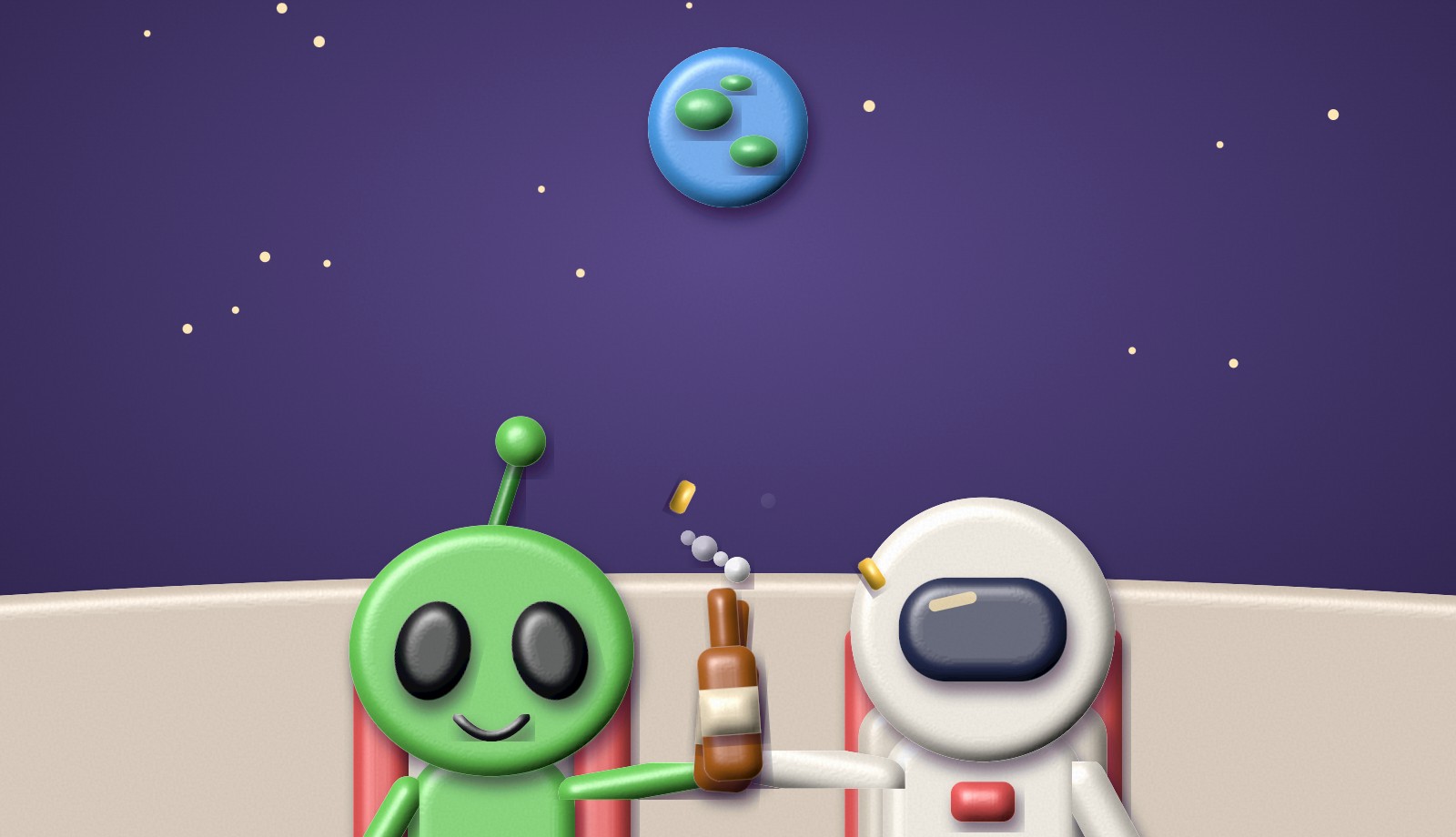
08Claymation
Make an animated scene as ONE self-contained HTML file (inline SVG + vanilla JavaScript, no libraries, no external images or fonts), 16:9, looping every 6 seconds. Scene: [DESCRIBE YOUR SCENE HERE]. Draw every character and object from simple SVG shapes (ellipses, rounded rectangles, paths, thick round-capped lines for arms and legs). Drive everything from one time variable so the loop is seamless. Style: CLAYMATION. Stop-motion modelling clay: rounded chunky shapes in warm saturated colors. Light every shape like a 3D lump of clay with an SVG lighting filter: blur the alpha (stdDeviation 4.5) → feDiffuseLighting (surfaceScale 7, distant light azimuth 235, elevation 52) multiplied over the color → feSpecularLighting (specularExponent 22) added on top for a soft highlight → a soft drop shadow. Dark purple studio backdrop with a radial gradient and subtle grain. 12 fps with tiny imperfections, squash and stretch.
09Risograph
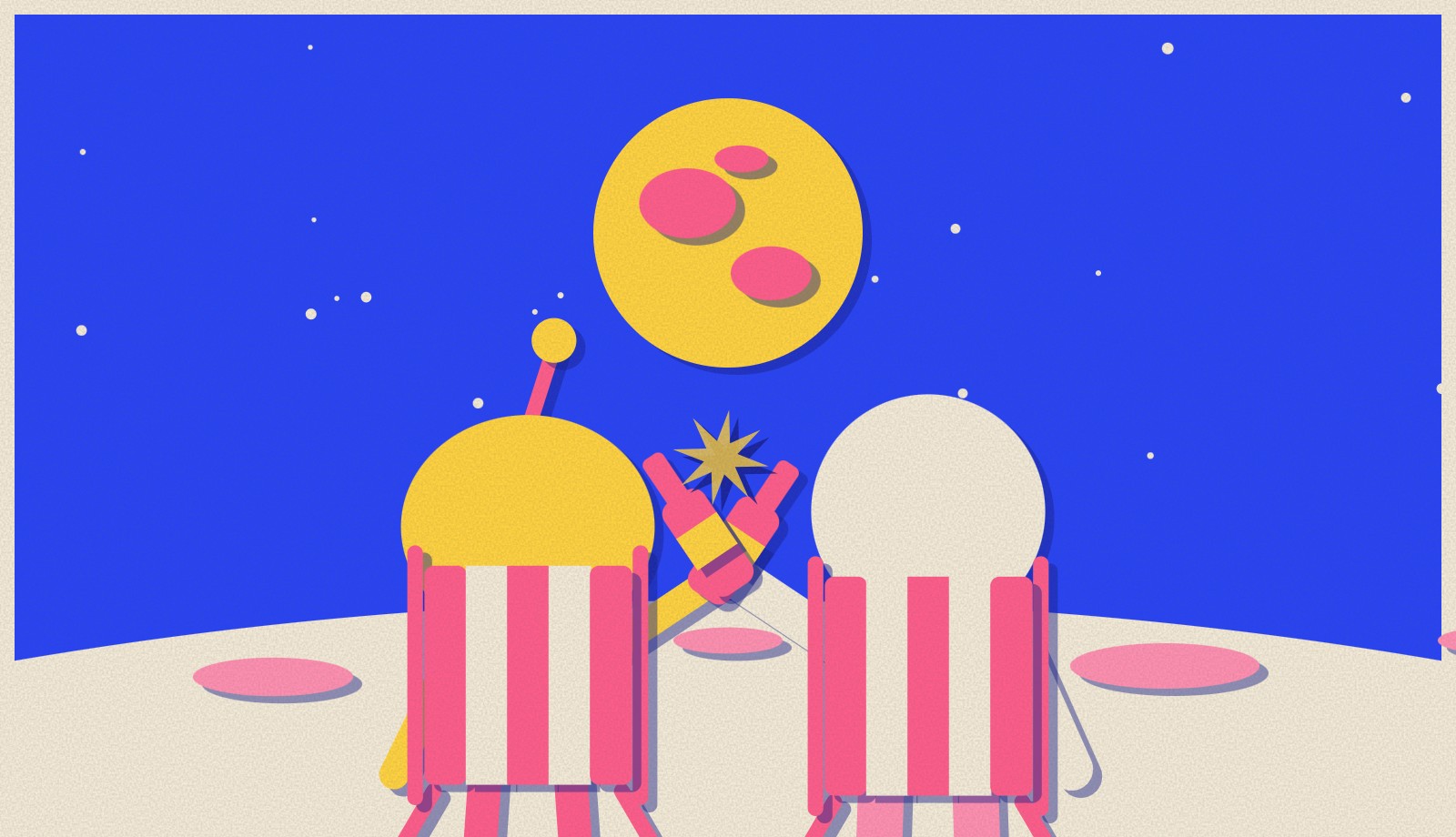
Make an animated scene as ONE self-contained HTML file (inline SVG + vanilla JavaScript, no libraries, no external images or fonts), 16:9, looping every 6 seconds. Scene: [DESCRIBE YOUR SCENE HERE]. Draw every character and object from simple SVG shapes (ellipses, rounded rectangles, paths, thick round-capped lines for arms and legs). Drive everything from one time variable so the loop is seamless. Style: RISOGRAPH. A three-ink riso print: use ONLY cream paper #F3EAD7, blue #2742F5, pink #FF5C8A and yellow #FFD23F. Flat shapes, no outlines. Fake the misregistration: draw every colored shape twice, first a dark-blue ghost (#141C8A at 45%) shifted 5 px right and 4 px down, then the real shape on top. Multiply a heavy grain over everything (feTurbulence fractalNoise baseFrequency 0.85) and leave an 8-px cream paper margin around the frame. 12 fps.
10Watercolor
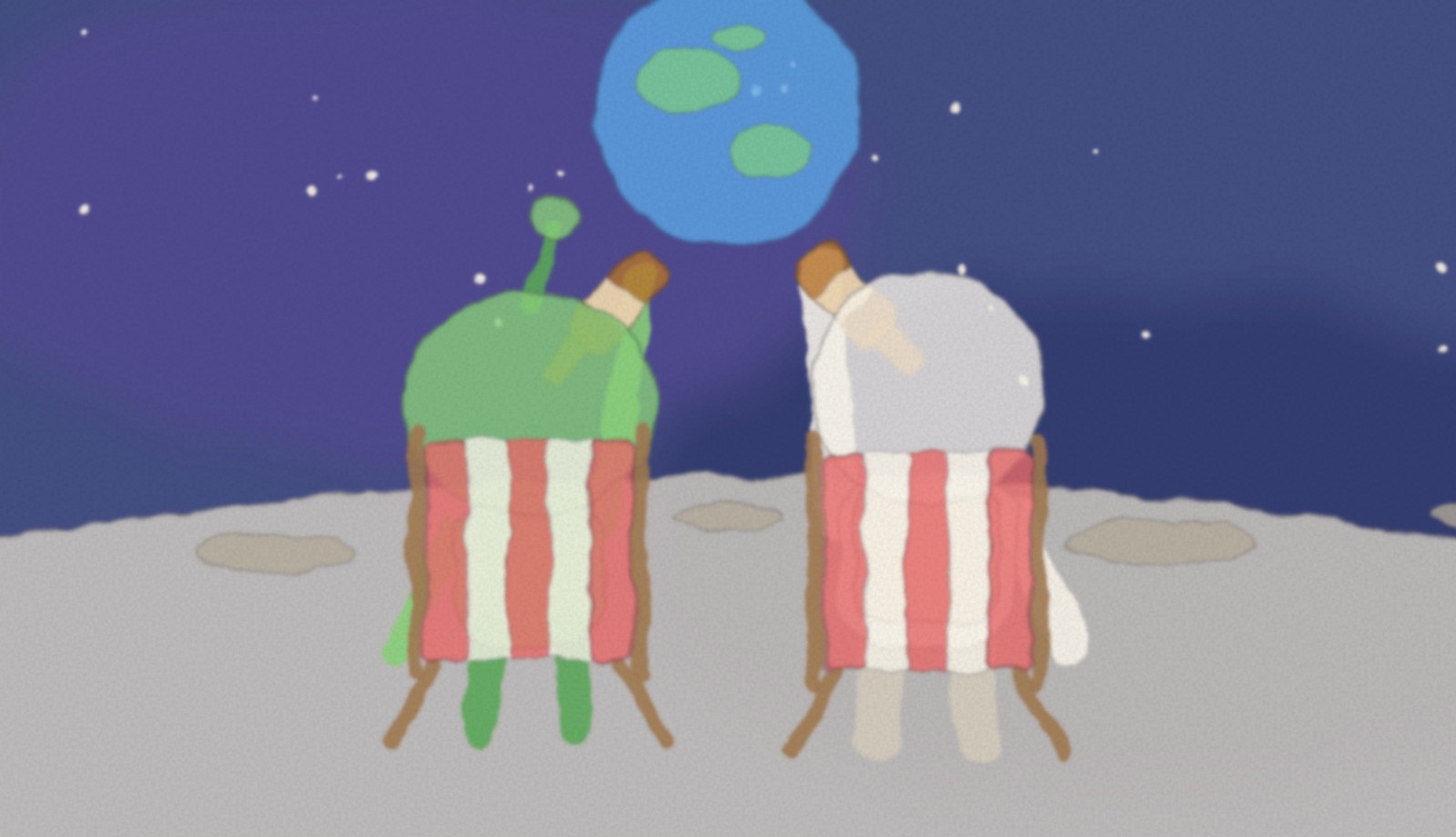
Make an animated scene as ONE self-contained HTML file (inline SVG + vanilla JavaScript, no libraries, no external images or fonts), 16:9, looping every 6 seconds. Scene: [DESCRIBE YOUR SCENE HERE]. Draw every character and object from simple SVG shapes (ellipses, rounded rectangles, paths, thick round-capped lines for arms and legs). Drive everything from one time variable so the loop is seamless. Style: WATERCOLOR. Hand-painted watercolor on cream paper #F6F0E2: soft translucent fills (80% opacity) with a thin, slightly darker edge. Pass all the artwork through a filter that wobbles the edges (feTurbulence fractalNoise baseFrequency 0.035, 3 octaves + feDisplacementMap scale 9) and blurs it 0.9 px. The background is a large blurred wash of indigo and violet (displacement 60, blur 14) that does not reach the paper edges evenly. Multiply a paper grain on top. Slow, smooth 30 fps motion; change the turbulence seed every 6 frames so the paint seems to breathe.
技能包中的 8 个技能
- design260k
#1pixel-art
把照片转换为复古像素艺术,使用经典游戏机调色板,并可将其制作成短小循环的 MP4 或 GIF 动画。
为什么收录它: Turns a photo into real pixel art and can animate it into a short loop. Goes with style 01.
查看技能 → - video78k
#2hyperframes
指导你的智能体使用 HyperFrames 制作、编辑、添加动画并渲染视频,它会把 HTML 逐帧转换为视频。
为什么收录它: Builds captioned videos from code: use it to turn your animation into a finished clip.
查看技能 → - video75k
#3motion-graphics
帮你的智能体制作简短的、以设计为主导的动态图形,其中动态效果承载信息,例如动态文字、数字递增和标志片头。
为什么收录它: Short motion graphics with no voiceover, where the motion is the message. Goes with the flat vector style.
查看技能 → - video101k
#4huashu-art-motion
协助创作艺术化的动画和旁白,提供多种艺术风格和工具,用于制作与时间同步的动画。
为什么收录它: Artistic animations and visual explanations in dozens of art styles, when you want to go beyond these ten.
查看技能 → - video101k
#5sprite-animation
让你的 Agent 创建像素艺术风格的动画讲解幻灯片,看起来像教学视频的画面,包含动画吉祥物和动态文字,可直接录制使用。
为什么收录它: An animated slide in old video game style, with a pixel art character.
查看技能 → - design48k
#6claymorphism
帮助你的智能体创建带有柔和 3D 元素和圆角形状的界面。它有助于让应用呈现现代、有触感的外观。
为什么收录它: The soft clay look for interfaces, a cousin of the claymation style.
查看技能 → - docs260k
#7excalidraw
制作手绘风格的图表,例如流程图、架构图和时序图,并保存为可打开和编辑的 Excalidraw 文件。
为什么收录它: Hand-drawn diagrams you can edit, a cousin of the chalkboard style.
查看技能 → - video48k
#8threejs-animation
使用 Three.js 库制作 3D 动画。可以让对象动起来、混合不同的动作,让 3D 模型在网页项目中“活”起来。
为什么收录它: 3D animation in the browser, for when flat shapes are not enough.
查看技能 →
常见问题
How do I use the 10 prompts?
Pick a style, copy its prompt, replace [DESCRIBE YOUR SCENE HERE] with your own scene and paste it into Claude (or any AI that writes code). It answers with one HTML file: open it in your browser to watch the animation. To see the same scene in another style, keep your scene and use the next prompt.
Is there a skill with all 10 styles?
Yes. Paste this link into your AI and tell it which style you want: https://raw.githubusercontent.com/pahesilva1/skillpedia-skills/main/claude-animation-styles/SKILL.md . The folder with the skill and a reference picture of each style is at https://github.com/pahesilva1/skillpedia-skills/tree/main/claude-animation-styles . In Claude Code, Codex or Cursor you can install it with: npx skills add pahesilva1/skillpedia-skills --skill claude-animation-styles
Do I need to install anything?
No. The prompts work in any chat with an AI that writes code. The skills in this pack are optional extras: they help when you want pixel art from a photo, a finished MP4 with voice and captions, or 3D.