
gpt-image-2-style-library
它能做什么
这项技能利用 GPT-Image2 风格库,把你的图像想法转化为详细的提示词。适合希望获得精致 AI 图像、又不想从零编写提示词的人。
适用场景
- ✓当你想为海报、产品、界面原型、信息图或插画获取 AI 图像的时候。
- ✓当你有一个粗略的图像想法,并希望得到结构更好、更有力的提示词的时候。
- ✓当你想浏览图像风格模板并选择最合适的一个的时候。
技能链接
https://github.com/freestylefly/awesome-gpt-image-2/blob/main/agents/skills/gpt-image-2-style-library/SKILL.md复制后粘贴给你的 AI(Claude、ChatGPT 或 Cursor),让它按照说明操作。
使用方法
最简单的方法:复制下面的消息,粘贴给你的 AI。它会读取这个技能并按说明操作。
可直接粘贴的消息
适用于 Claude Code、Codex 或 Cursor:在项目文件夹中运行,即可安装该技能。
下载 SKILL.md,放进智能体的技能文件夹。
可以这样问 AI
“请为一张干净信息图风格的城市生活系统图海报,写一个 GPT-Image2 提示词。”
每周 5 个新技能,1 分钟读完。
工作原理
它会把你的请求匹配到某个模板类别、风格标签或场景标签,然后构建涵盖主体、布局、风格、文字和格式的提示词。如果有多个模板适用,它会提供两到三个选项供你选择。
技术内容(原始 SKILL.md)
作者在 GitHub 上的英文原文。
GPT-Image2 Style Library
Use this skill to turn a user's image-generation intent into a production-ready GPT-Image2 prompt using the awesome-gpt-image-2 style library.
Example Output
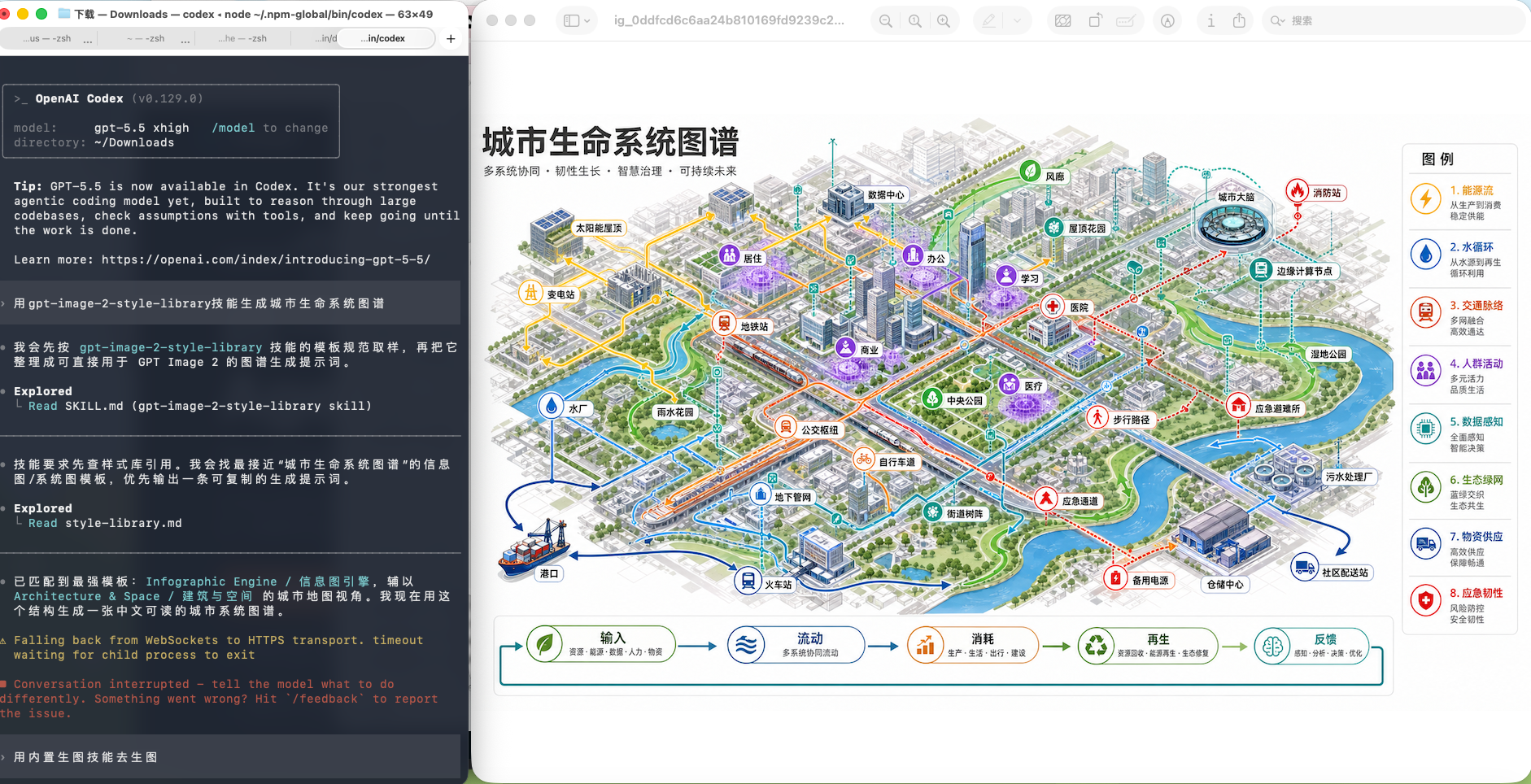
Example request: 用 gpt-image-2-style-library 技能生成城市生命系统图谱
Reference
- Read
references/style-library.mdbefore choosing a template or style. - The reference is generated from
data/style-library.jsonin the repository. - Prefer the reference over memory when template names, categories, covers, or style tags matter.
Workflow
- Detect the user's language and answer in that language.
- Identify the user's target output: product, poster, UI, infographic, brand, photo, illustration, character, scene, history, document, or special task.
- Match the request in this order: template category, visual style tag, scene tag, then nearest example cases.
- If one template is clearly strongest, use it directly. If several are plausible, present 2-3 options with short reasons and ask the user to choose.
- Build the final prompt with these blocks:
- subject and task
- composition and layout
- visual style and materials
- text and label requirements
- aspect ratio and output format
- constraints and negative details
- Include the selected template name and any useful example case IDs.
Output Defaults
- Provide a copyable prompt first.
- Keep constraints concrete: exact text, aspect ratio, readable labels, layout hierarchy, and avoided artifacts.
- For Chinese requests, write the final prompt in Chinese unless the user asks for English.
- For English requests, write the final prompt in English unless the user asks for Chinese.
- When the user asks for multiple concepts, reuse one template and vary subject, composition, palette, and scene.
Maintenance
When the source repository changes, run:
npm run generate:style-skill
To install the skill into the local Codex skill folder, run:
npm run install:skill
常见问题
它会自己生成图像吗?
技能只构建提示词。生成图像是你的图像工具中的单独步骤。
如果有多种风格都可行怎么办?
它会给出两到三个选项并附上简短理由,由你选择其中一个。
这些模板来自哪里?
它们来自根据 awesome-gpt-image-2 风格库构建的参考文件。
详情
作者的原始描述
Choose GPT-Image2 / gpt-image-2 visual styles and industrial prompt templates from the awesome-gpt-image-2 style library. Use when an agent needs to create, rewrite, classify, or improve image-generation prompts with repository-backed templates, categories, style tags, scene tags, pitfalls, and example cases.
热度
- GitHub 星标
- 35k
- 排名
- #7588
- 许可证
- MIT
- 更新时间
- 2026/10/14
评论
- …