Save on Claude Code Token Usage: 12 Simple Tricks
Skillpedia team · updated 2026-10-16 · 8 min read
Short answer: Tokens are like "conversation coins" that Claude spends to understand and reply. In Claude Code, you can use fewer tokens with simple tricks. This keeps your account further from its limit and makes usage cheaper.
If you've started using Claude Code and feel like the tokens run out fast, you're not alone! Everyone who programs with AI goes through this. But the good news is you can save a lot with a few habit changes. I'll explain it to you, as if to a friend who's never programmed, how to do it.
Table of Contents
- Why do tokens run out so fast?
- 4 tricks before you start programming
- 5 tricks while you're programming
- 3 advanced tricks (no complication)
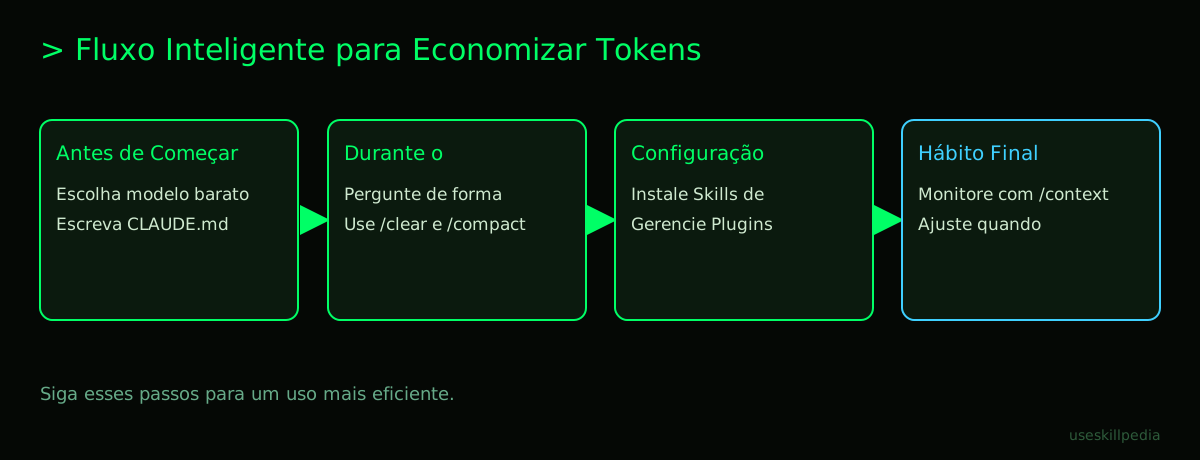
- We recommend trying these 3 skills first
- Frequently asked questions
- Read also
Why do tokens run out so fast in Claude Code?
Imagine you're telling a story to a friend, but they can only remember the last 5 minutes of the conversation. To keep them from getting lost, you have to repeat parts of the story. Tokens are like the "words" and "pieces of words" Claude uses to understand everything you send and to create his reply. Everything counts: your messages, the files you open, his replies, and even hidden instructions the system sends.
In Claude Code, two things make tokens disappear:
- The conversation history: Everything you and Claude have already talked about in that session stays in memory. A long session can get heavy.
- Your project files: When you ask Claude to analyze a code file, he reads the entire content and that becomes tokens. Large files use many tokens at once.
It's important to understand What are AI tokens (and why they run out so fast) to use the tool better. The rule is clear: the more information you throw into the conversation, the more tokens you spend.
4 tricks before you start programming
Thinking a little before opening the terminal already saves you many tokens. The terminal is that computer program that accepts text commands, like a window for direct conversation with the system.
- Close projects and tabs you're not using. Claude Code can keep context from open sessions. Close the application completely if you're not going to use it.
- Use the right model for the task. Models are "versions of Claude's brain," each with a different cost and ability. For simple coding tasks, Claude Haiku is fast and cheap. Save Claude Opus (the most expensive and powerful) for really complex problems. Use the
/modelcommand to switch. - Structure your project with CLAUDE.md. Create a file called
CLAUDE.mdin your project's main folder. In it, write clearly: what the project's goal is, what programming language it uses, what the style rules are. This avoids you needing to repeat these instructions with each new conversation, saving tokens. - Block heavy or unnecessary files. Create a file called
.claude/settings.jsonin your project folder. In it, you can put rules to "deny" access to folders likenode_modules(which has thousands of configuration files) or log files. This way, Claude won't read them by accident.
5 tricks while you program
Now that you've started, these habits will help you keep consumption under control.
- Be specific in your questions. Instead of "fix this code," say "the function on line 30 is returning an error, can you fix it?" The more direct you are, the less back-and-forth in the conversation.
- Ask to analyze only the changes. Instead of sending an entire 500-line file again, say: "Look only at the
calculateTotal()function that starts on line 150. Change X to Y." You can even paste just the specific code snippet. - Use the
/clearand/compactcommands. Typing/clearin the chat erases the entire history of that conversation, freeing all tokens used by it. It's like starting a conversation from scratch. The/compactcommand asks Claude to make a summary of what's already been discussed, keeping the memory but in a smaller form. - Control the response size. You can ask: "Reply in at most 3 paragraphs" or "Explain with a short code example." This limits the tokens Claude will generate in his reply.
- Use the
/contextcommand. Type this in the chat. It will show you a summary of what's taking up space in the conversation's memory (the tokens). You can identify if there's a very large file open unnecessarily and can remove it.
3 advanced tricks (no complication)
These tips involve setting up the environment a bit more, but are worth it for the spending they save.
- Use intelligent Skills. Skills are like "helper apps" you install in Claude Code. Some are made precisely to manage tokens. They can warn you when you're close to the limit or suggest when to switch to a cheaper model. We'll look at three specific ones next.
- Explore Plugins carefully. A Plugin is a package that can contain several Skills, tools, and automations. A useful plugin can save you time and tokens by automating tasks. But be careful: the description of all installed plugins and skills always stays in memory, using some tokens. Only install the ones you really use. To manage them, use the
/plugincommand. - Connect tools with MCP only when needed. MCP is a standard that works like a "universal adapter" to connect Claude to other programs, like your spreadsheet or database. It's amazing, but each connection can add information to the context. Add only the MCP servers that are essential for the task at hand.
We recommend trying these 3 skills first
Installing a Skill is easy: just copy its folder to the Claude Code skills folder. They are like specialized helpers.
- skill-creator-anthropics: This official skill helps you create other skills. Why does this save tokens? Because a well-made skill gives clear, direct instructions to Claude, avoiding you having to explain the same thing every time.
- token-budget-advisor-affaan-m: It's like a financial advisor for your tokens. It monitors your usage, estimates how much you've already spent, and warns you if you're spending too fast, helping you adjust your pace.
- context-budget-affaan-m: Focuses on helping you manage the context (everything in the conversation's memory). It can suggest clearing unused files or summarizing parts of the conversation, actions that free up precious tokens.
Quick Tips: Before vs. During
Here's a summary for you to keep in mind:
| Time | What to Do | Token Savings |
|---|---|---|
| Before Programming | Choose the Haiku model for simple tasks | High (lower cost per token) |
| Before Programming | Create the CLAUDE.md file with instructions |
Medium (avoids repetition) |
| During Programming | Use /clear to restart the conversation |
High (zeros out the history) |
| During Programming | Ask to analyze only a code snippet | High (less file processed) |
| Configuration | Install a token budget Skill | Medium (control and alerts) |
Frequently asked questions
Does Claude Code use more tokens than normal chat? Yes and no. The act of programming itself (reading files, analyzing code) tends to use more tokens because it deals with more text. But the saving tips work for both.
Can I recover tokens already spent?
No. Tokens are consumed at the moment of use. But you can free up space for the future by clearing the history (/clear) or closing large files.
Do free skills and plugins use my tokens? Yes. Anything that adds information or instructions to Claude's context consumes tokens. Useful skills can save in the long run, but have a small initial memory cost.
What's the difference between a token and a message limit? Tokens are the "processing unit" of the conversation. Message limit is how many times you can interact in a period (like 5 hours). In Claude Code, both are important, but saving tokens is crucial to not hit the cost limit.
Is saving tokens in Claude Code the same as saving in Codex or Copilot? The general idea is similar (be specific, avoid huge files), but the tools and configurations are different. If you use others, check out Saving tokens in Codex and Copilot.
Read also
- For an overview of all ways to save on Claude: How to save tokens on Claude (complete guide)
- To know exactly what you can do on your plan: Claude limits by plan (Free, Pro, Max)
- If you still have questions about the tool: Claude Code: what it is, how to download, install, and how much it costs (2026 guide)
- To understand an important technology Claude uses: What is MCP (Model Context Protocol): explained in an easy way
- Find more helpers to install: search skills
Sources
- Anthropic: context windows (accessed 10/16/2026)
- Anthropic: token counting (accessed 10/16/2026)
- Claude plans and pricing (accessed 10/16/2026)
Full guide on this topic: What Are Tokens in AI and Why Do They Run Out So Fast?