Subagents in Claude Code: What They Are and How to Use Them
Skillpedia team · updated 2026-10-16 · 9 min read
Short answer: Subagents are specialized helpers inside Claude Code. You can ask the main agent to create a subagent for a specific task, like analyzing a certain file type. It's like a project manager hiring a specialist to handle one specific part of the job.
Imagine you're cooking a complicated dinner. You are the head chef (Claude Code), but you need help with specialized tasks: a sous-chef to chop vegetables, another to prepare the sauce. Subagents work like this: they are "specialized helpers" that Claude Code can create on demand to break complex tasks into smaller, more manageable parts. This makes work more efficient and organized.
Table of Contents
- What are subagents, in practice?
- Why use subagents?
- How to create and manage subagents?
- Where do subagents live and how do they "think"?
- Limits and costs: tokens and context
- Subagents vs. Skills vs. MCP Connectors: what's the difference?
What are subagents, in practice?
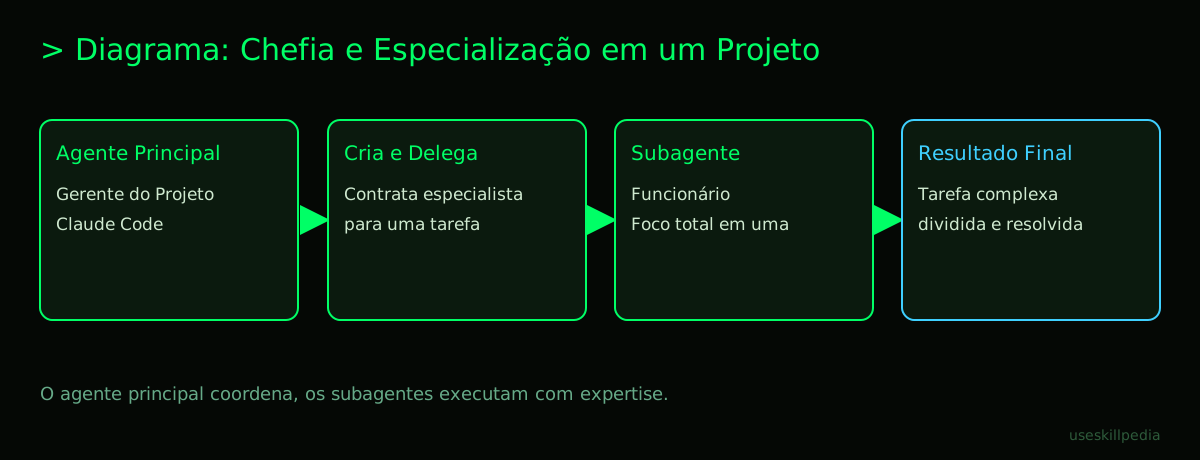
Think of a subagent as a temporary employee you hire for a very specific job. Claude Code (your main programming assistant) can create these "employees" on demand.
Let's use an analogy:
- Claude Code = Project manager for a construction company.
- Subagent = A tile expert that the manager calls in just to lay the bathroom floor.
The manager (Claude Code) remains in overall command but delegates a technical, repetitive part to the specialist (subagent). That specialist focuses 100% on what they do best.
In the digital world, this means you can ask Claude:
"Create a subagent to review only grammar errors in Markdown documents, while I focus on the text structure."
The created subagent will have very clear instructions and its own "corner" to work in, without cluttering the main agent's desk.
Why use subagents?
Divide and conquer! That's the philosophy. See the benefits:
- Total focus: A subagent doesn't get distracted. If it was created to translate text, it only thinks about translation.
- Specialized memory: The knowledge needed for the task stays "stored" with the subagent, it doesn't fill the main agent's mind with details.
- Reusability: You can ask to save this subagent and use it again in other projects, without needing to train it from scratch.
- Parallel work: In theory, the main agent can create several subagents to attack different parts of a problem at the same time (though there are technical limits, as we'll see).
A table to compare situations:
| Without Subagent | With Subagent |
|---|---|
| Claude Code tries to do everything alone: plan, code, test, document. | Claude Code creates a "Tester" subagent and a "Documenter" subagent. Each does their part. |
| Can get lost in the conversation history, mixing topics. | Each subagent has a clean conversation history, only about its task. |
| Long, complex instructions for each new task. | Specific instructions are given once, when creating the subagent. |
How to create and manage subagents?
You don't need to code to create a subagent. Just chat with Claude Code. See a step-by-step example:
- Give the idea: In the Claude Code chat, say what you need. Example: "I have a project with lots of JSON config files. Can you create a subagent specialized in validating and formatting JSON to help me?"
- Define the specialty: Claude will ask or suggest a name and a clear description for the subagent. Something like "JSON Validator - Checks syntax and applies standard formatting".
- Provide the rules: Explain how you want the subagent to work. "Always validate the JSON before formatting. Use 2-space indentation. Alert me if you find missing keys."
- Activate the subagent: Claude Code will create the subagent. From now on, you can address it by name or ask the main agent to delegate tasks to it.
Where does this happen? Everything happens inside the Claude Code terminal. The terminal is that black (or white) window where we type text commands for the computer, instead of clicking icons. It's the programmer's "control panel".
To manage, you can ask things like:
- "List all active subagents."
- "Give this other file to the JSON Validator to analyze."
- "Save the settings of the 'Translator' subagent for me to use later."
Where do subagents live and how do they "think"?
Subagents are not separate programs you install. They are "states" or "modes of operation" created within the Claude Code session itself.
Think of Claude's context memory as a big work desk. Everything you talk about, all open files, are on this desk. The desk has a size limit (1 million tokens – we'll talk about that later). Creating a subagent is like taking a new organizer folder on that desk, labeling it with the subagent's name, and putting inside only the information and instructions related to its task.
When you interact with the subagent, Claude's attention focuses mainly on the content of that folder, keeping the rest of the desk (the main project) more organized. The architecture (which is the "plan" or "design" of how a software system is built) behind this allows the main agent to "call" the subagent when needed.
Limits and costs: tokens and context
Here we get to a crucial concept: tokens. Tokens are the basic units of text that the AI processes. It can be a whole word, a syllable, or punctuation. Imagine the AI needs to "digest" text into little pieces. 1 million tokens is roughly equivalent to 555 thousand words in English.
Everything consumes tokens: your question, the AI's response, the files you send, and the instructions and history of each subagent. Therefore, creating many subagents with very long instructions can quickly fill the "work desk" (the context window).
Claude's paid plans (Pro, Max, Team) include Claude Code and come with a token limit that renews every 5 hours. Chat and Code usage share the same limit. Subagents, since they work inside Claude Code, consume tokens from this limit.
Tip for beginners: Start with one or two simple subagents. Use them for very clear tasks. Monitoring token usage is like keeping an eye on your car's fuel gauge on a long trip.
Subagents vs. Skills vs. MCP Connectors: what's the difference?
This is a point that confuses many beginners. They are three different concepts in the Claude ecosystem:
| Concept | What is it? | Analogy | When to use? |
|---|---|---|---|
| Subagent | A "specialized assistant" created within a conversation. | A temporary employee hired for a project. | To split a complex, unique task in the current project. |
| Skill | A reusable "skill" or "script" you install in Claude Code. | A new tool in your toolbox, like a specific wrench. | To add a function you will use frequently across various projects (e.g., a script to create a type of file). |
| MCP Connector | An "adapter" that connects Claude to other apps (Google Calendar, Notion). | A USB-C cable connecting your laptop to an external monitor. | To allow Claude to access and manipulate data from another program you already use. |
Subagents are more temporary and contextual. Skills are permanent and reusable. MCP Connectors are bridges to the outside world. You could, for example, use an MCP Connector to access a spreadsheet, create a subagent to analyze its data, and install a Skill that formats the analysis into a nice report.
To better understand the central concept behind all this, read our pillar article: AI Agent: what it is, how it works, and how to create yours (without coding).
We recommend trying these 3 skills first
Before creating complex subagents, try installing some Skills. They give superpowers to Claude Code and help you understand the platform's potential.
- skill-creator-anthropics: This is Anthropic's official Skill for creating... other Skills! It's a great starting point to see how a feature is packaged and reused.
- agent-eval-affaan-m: This Skill helps evaluate the quality of an AI agent. For a beginner, it's like an "automatic grader" that gives scores and feedback on your assistant's performance, helping you improve it.
- agent-harness-construction-affaan-m: The name is complex, but the function is practical: it helps build a testing environment for your agent. Imagine you want to train your assistant to answer emails. This Skill helps set up a training scenario with example emails.
Frequently Asked Questions
Do I need to pay to use subagents in Claude Code? Yes, because Claude Code itself is only available in the paid plans (Pro, Max, Team, Enterprise). The Free plan does not have access to Claude Code, therefore, cannot use subagents.
Does creating many subagents make the AI slower? Not necessarily "slower," but it can consume your available tokens faster. Each subagent occupies space in the context memory (those tokens). If you fill the context too much, the AI may have less "mental space" to process new tasks.
Can I save a subagent to use tomorrow? Directly, not in the same way you save a file. Subagents are tied to the current work session. However, you can ask Claude Code to save the subagent's instructions in a text file. In the next session, you load that file and ask to create a new subagent with the same instructions.
Do subagents work in the web version of Claude (claude.ai)? Not in the same way. On the claude.ai website, the closest concept is "Connectors" (their implementation of MCP), which connect the chat to external apps. The dynamic creation of specialized assistants within a conversation is a more powerful feature of Claude Code, the application for developers.
What's the difference between a subagent and just giving clear instructions? Clear instructions are essential. The advantage of a subagent is isolation. The subagent's instructions stay in a dedicated "space," less subject to interference from the long history of the main conversation. It's the difference between giving someone a manual in the middle of a noisy party (instructions in the main chat) and taking them to a quiet room to explain the task (subagent).
Read More
Want to dive deeper? Check out these other articles from our blog:
- Understand the basics: Claude Code: what it is, how to download, install, and how much it costs (2026 guide)
- How to start creating: How to create an AI agent from scratch (without coding)
- Focus on Claude: How to create an AI agent in Claude
- Connecting with apps: What is MCP (Model Context Protocol): explained in an easy way
- Understand the AI's "fuel": What are tokens in AI (and why they run out so fast)
Find more ready-to-use tools in our directory: search skills.
Sources
- What is the Model Context Protocol (accessed on 10/16/2026)
- Claude Code: overview (accessed on 10/16/2026)
- Claude plans and pricing (accessed on 10/16/2026)
Full guide on this topic: What Are AI Agents? A Beginner's Guide to Creating Your Own